CHYRON Corporation
Installation 2-16 Revision D
0$;,1(+DUGZDUH 'HVFULSWLRQ
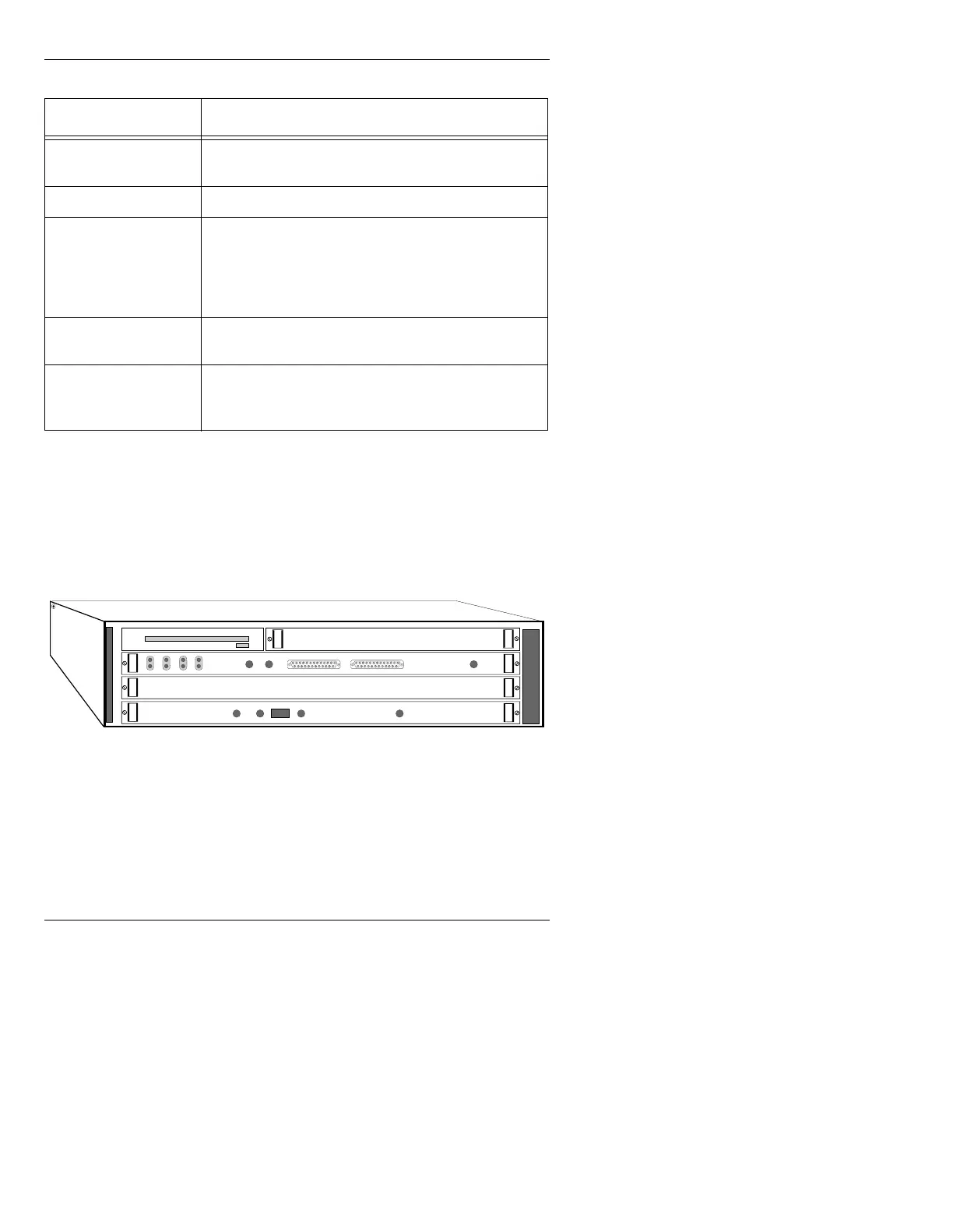
)URQW9LHZ0$;,1(
Figure 2-10 shows the MAXINE! mainframe with the front
door open.
Figure 2-10. MAXINE! Chassis Front View
5HDU9LHZ0$;,1(
Input and output connections to MAXINE! are made through
connectors on the rear panel (Figure 2-11).
RED
If RGB/YUV equipped, supplies the red or V com-
ponent from the RGB/YUV board. (0.7v p-p)
KEY
Provides an analog (linear) key output. (1.0v p-p)
PROMPT
Displays icon-based prompts, menus, commands
and current operating information such as mode,
color and font specifications. Connect this output to
a monochrome monitor. Only one Prompt output is
available on MAX!>. (Monochrome)
GEN LOCK
External (house) genlock source input, if MAX!>
internal genlock is not to be used.
SYNC OUT
SYNC OUT supplies the internal MAX!> composite
sync signal to any external equipment.
(4.0v p-p NTSC; 2.0 v p-p PAL)
Table 2-4: MAX!> Video Connections
&RQQHFWRU 'HVFULSWLRQ
CPU BOARD
FLOPPY DISK DRIVE
Video Input Module (Option)
AIR FILTER
ABORT
RESET
FAIL STAT
RUN SCON
LAN FUSE
SCSI VME
FRAME BUFFER
Video or 601



 To Next Page