iNFiNiT! Family Operation Manual
Revision D 16-21 Mix Effects
[ ] 2. Set Key and Fill Output Percentage levels
(§16.5.5) to values higher than
0.
[ ] 3. Create or read a message in the buffer that is
assigned to Key.
[ ] 4. Create or read a message in the buffer that is
assigned to Fill. An RGB(A) graphic is
recommended.
[ ] 5. Press
CNTL K or select Key Enable.
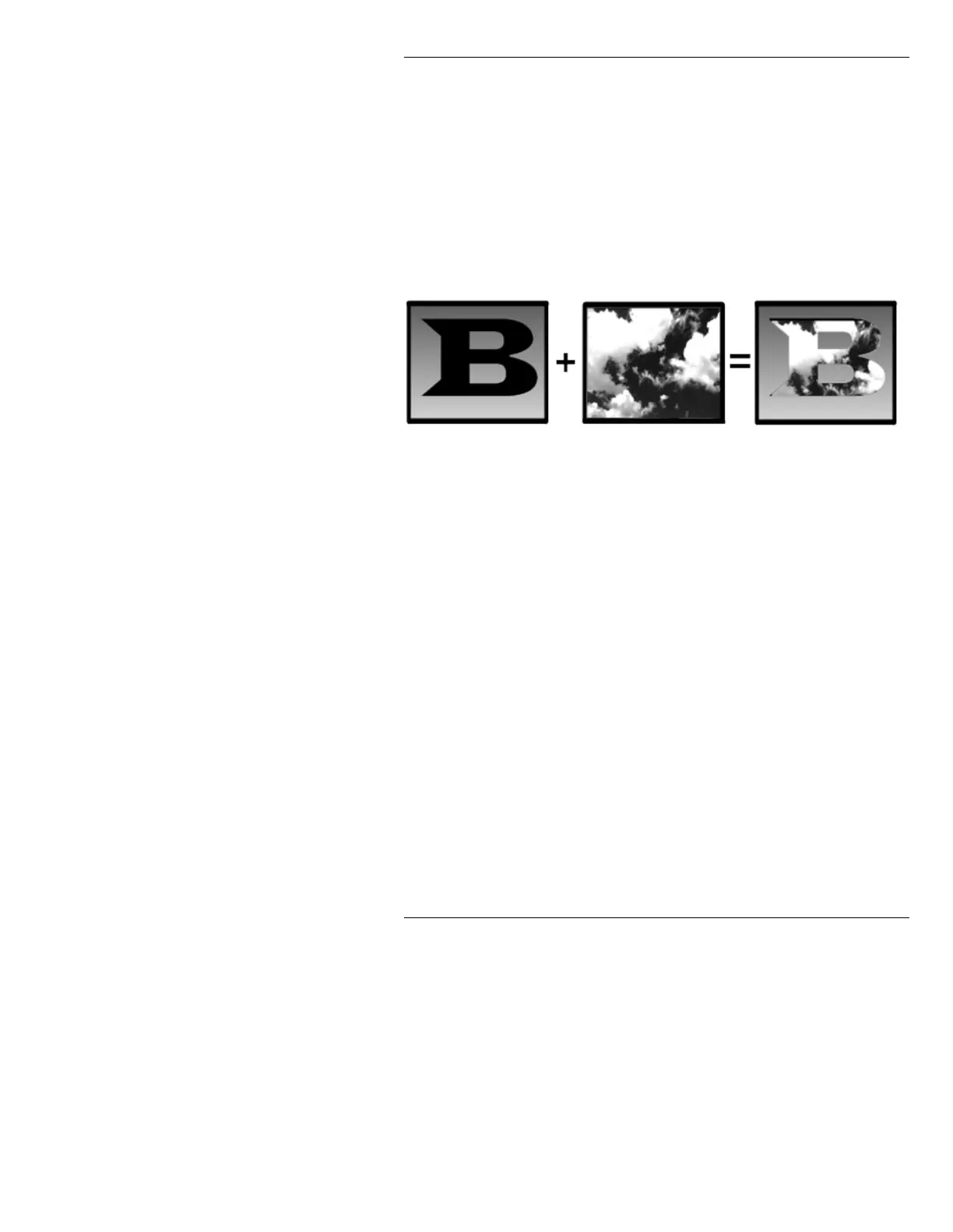
Figure 16-7. Key Enable Operation
The Key-and-Fill effect is most noticeable when the Key
buffer contains large characters to allow the Fill buffer to
“show through”. Note that the Key message has no color
or opaqueness - you can see straight through it. How-
ever, a scanline background (§10.5) does change the
color of the screen surrounding the cut-out.
Key Enable can only be exited from within the Mix
Effects main menu. To exit
Key Enable:
• Press
CNTL K or select Key Enable.
%NJ6HOHFW%DFNJURXQG6HOHFW
The Background Select function allows you to route
PREVIEW output to the AIR CHANNEL-Channel 1 out-
put. When
Bkg Select is activated, the contents of the
buffer assigned to PREVIEW display on the AIR CHAN-
Buffer 1 Buffer 2 AIR Output



 To Next Page