CHYRON Corporation
Total Motion Control 23-22 Revision D
6HWWLQJ&URS %R[;&0) 2QO\
Since all JPEG video and/or key captures are full screen,
this section does not apply. Please proceed to §23.4.8.
Before capturing video, the Crop Box can be reset to a
custom size. The defaults are as follows:
Xsize 224;
Ysize 224; and the Crop box is centered on the Edit
Monitor.
[ ] 1. Press
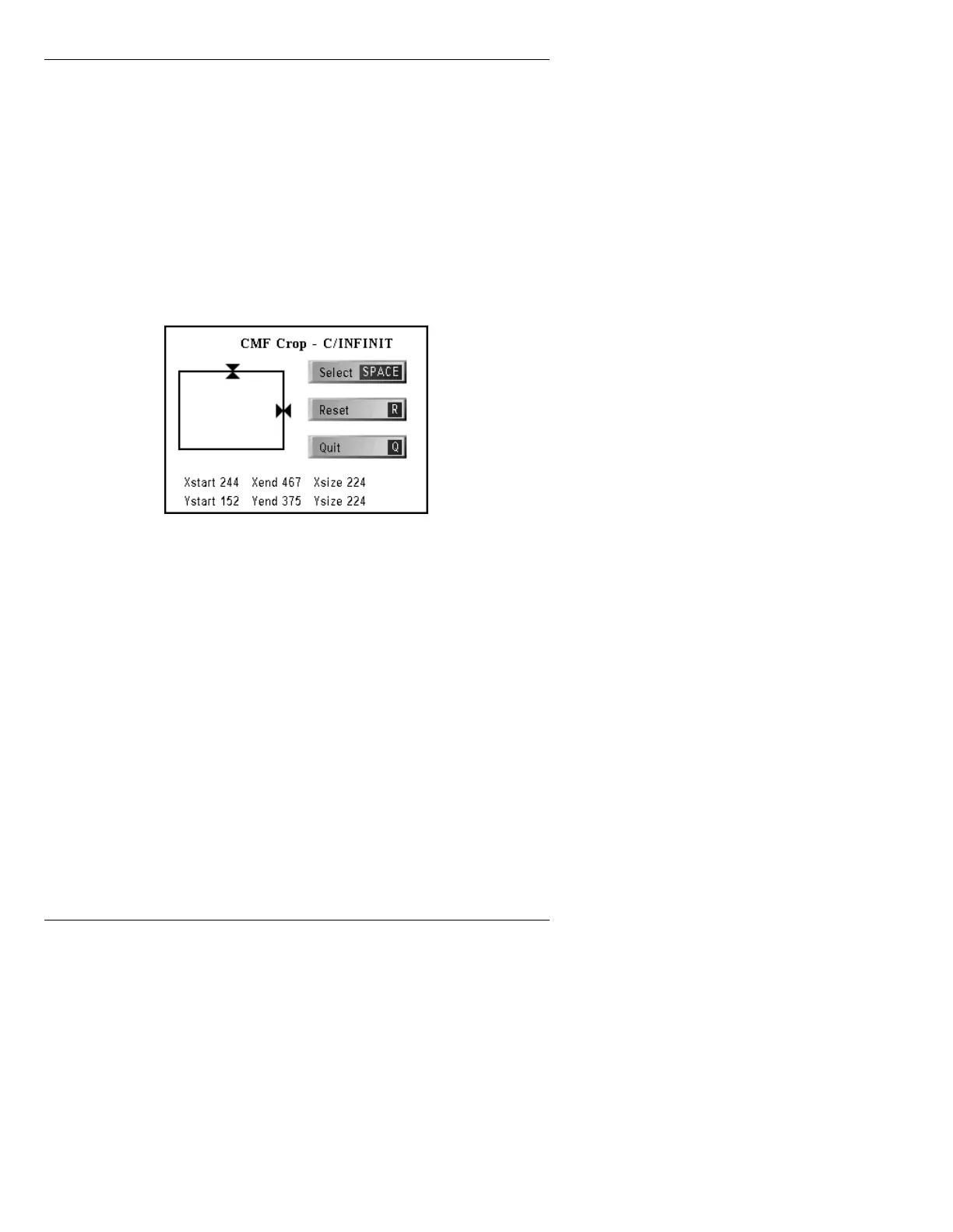
X or select Crop Box. The CMF Crop
window is displayed (Figure 23-8).
Figure 23-8. CMF Crop Window
[ ] 2. Choose which border(s) to adjust:
• To adjust the TOP border, use cursor
ÎÏ.
• To adjust the RIGHT border, use cursor
ÌÍ.
Press the
SPACE BAR or select SPACE.
You can now adjust the BOTTOM and
LEFT borders.
• To adjust the BOTTOM border, use cursor
ÎÏ.
• To adjust the LEFT border, use cursor
ÌÍ.



 To Next Page