iNFiNiT! Family Operation Manual
Revision D 17-45 Multiple Effects
NOTE
Roll and/or Crawl of Template Data
messages is not supported in
Multiple Effects.
5HFRUGLQJ0XOWLSOH(IIHFWV0HVVDJHV
While in the Multiple Effects main menu, you can record
all Multiple Effects settings as follows:
[ ] 1. If necessary, press
CLR, then enter an unused
ID number. This step can also be performed
while in the Record Multiple Effects window
(Figure 17-15).
[ ] 2. Press
RCD.
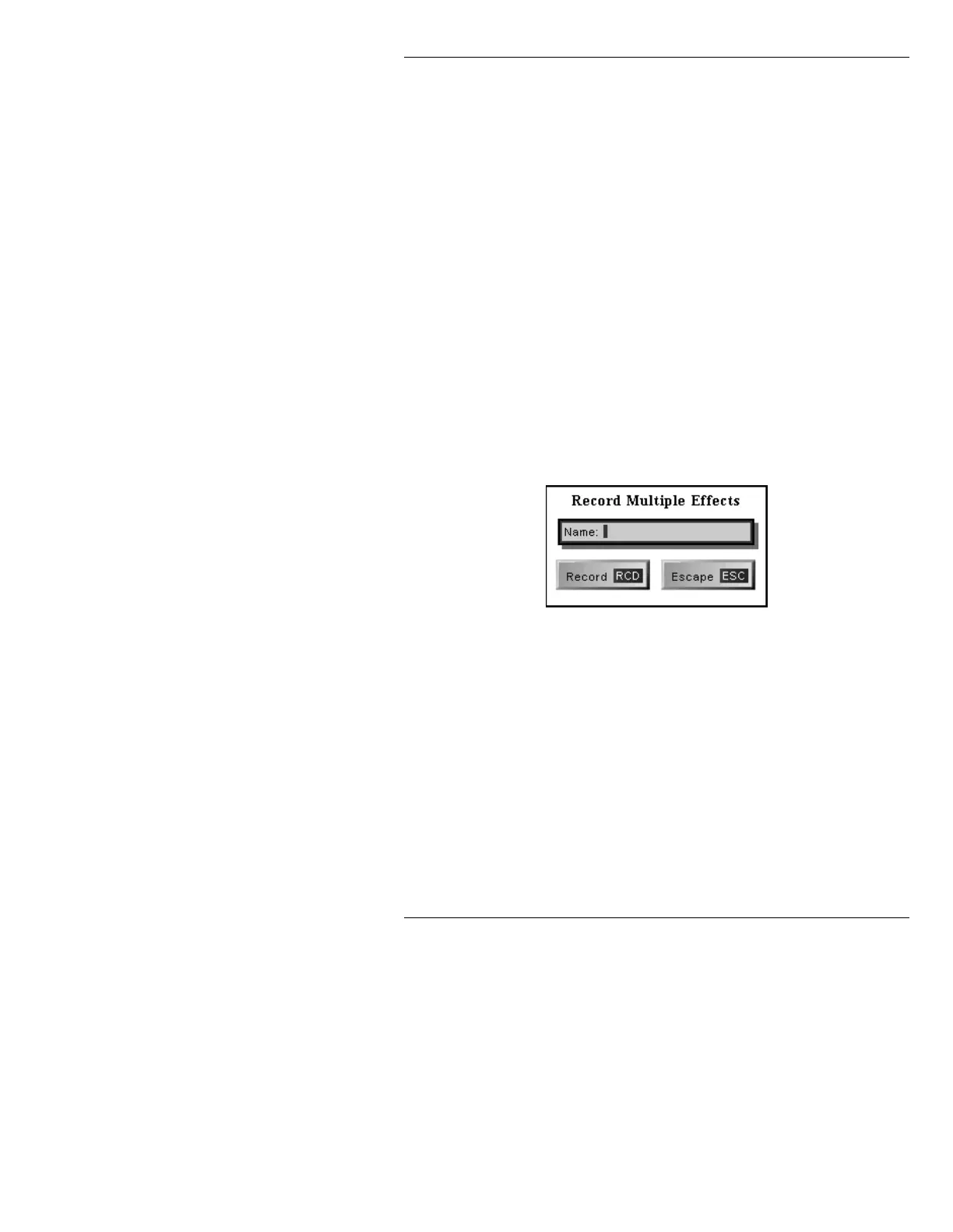
The Record Multiple Effects window (Figure 17-15) is
displayed.
Figure 17-15. Record Multiple Effects Window
[ ] 3. Enter a name of your choice in the Name:
field.
[ ] 4. Press
RCD or select Record.
Record complete appears on the Prompt Line.
If, after the Record Multiple Effects window is displayed,
you decide not to record the settings:
• Press
ESC or select Escape.
This exits to the Multiple Effects main menu.



 To Next Page