iNFiNiT! Family Operation Manual
Revision D 9-71 Advanced Playback
Fade is a single channel function (Fades between chan-
nels are covered in Section 16.). The system sends
CHY-
RON VIDEO
out, and it can be faded out and/or in over
program video or black. The Output Percentage level at
the
KEY OUT connector can be raised to 100% or low-
ered to
0% in relation to either program video or black, as
if Key Out is "cutting a hole", and
CHYRON VIDEO is
"filling the hole".
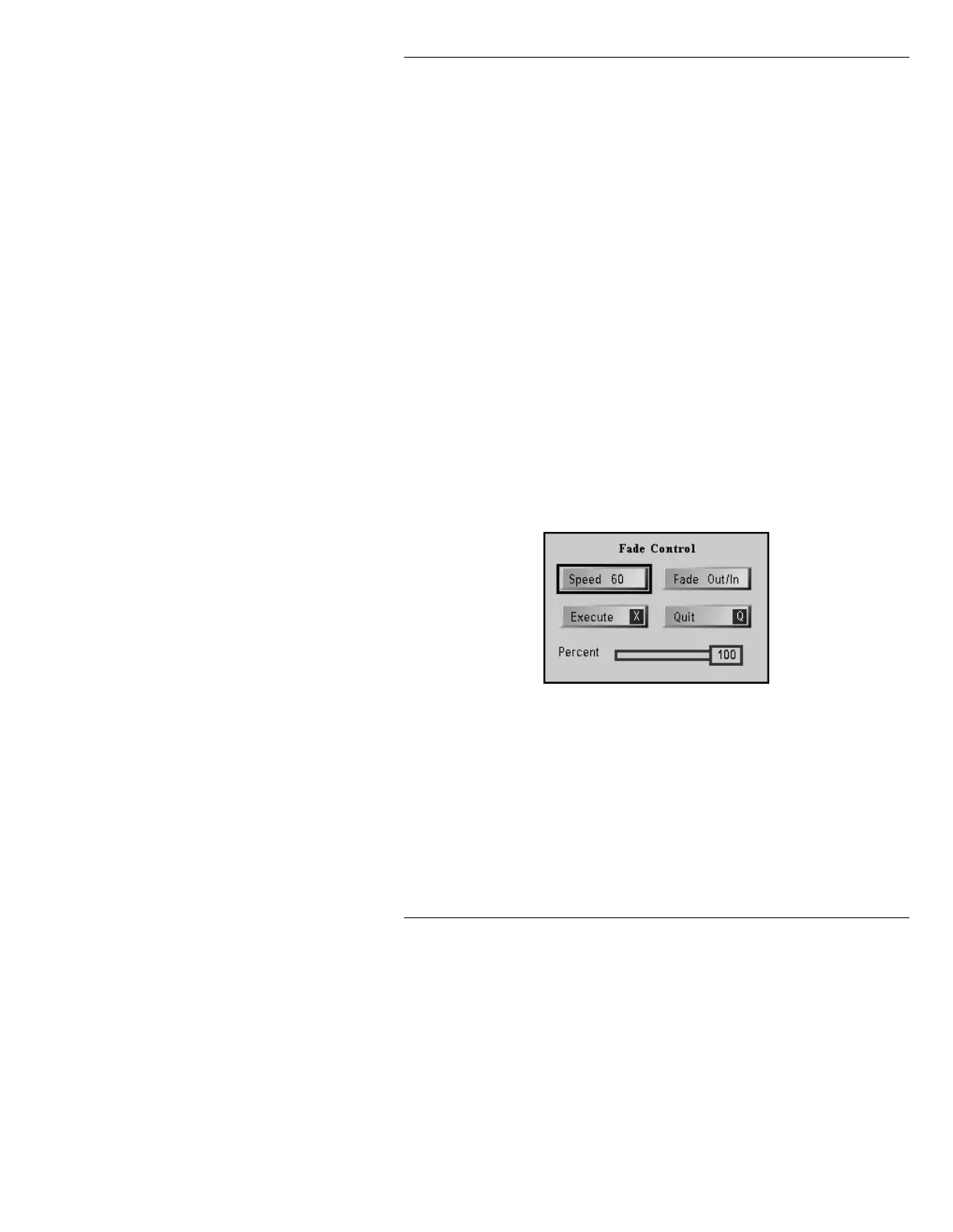
A Fade can be set up by altering one or more of the fol-
lowing parameters in the Fade Control window:
• Speed of transition.
•
Fade In (from black to message), Fade Out (from
current message to black), or
Fade Out/In (from
message to black to next message). The Output Per-
centage level must be set at
0 for Fade In, 100 for
Fade Out, or 100 for Fade Out/In.
To display the Fade Control window (Figure 9-19), enter
the Message Compose main menu, then:
• Press
CNTL Z.
Figure 9-19. Fade Control Window
Use the cursor or mouse to move among the data fields.
6SHHGRI)DGH7UDQVLWLRQ
To set the Speed of transition, i.e. the length of time in
fields that the
CHYRON VIDEO takes to fade from black
to
100% video, or from 100% video to black:



 To Next Page