iNFiNiT! Family Operation Manual
Revision D 23-5 Total Motion Control
'LVN8WLOLWLHV6&6,6HWXS
The SCSI Express drive must be set up in Disk Utilities
in order that it can be accessed for file operations.
[ ] 1. Once the system has been powered up, enter
Disk Utilities by selecting it from the Program
Loader menu.
[ ] 2. Press
CNTL I or select Configure Drives. The
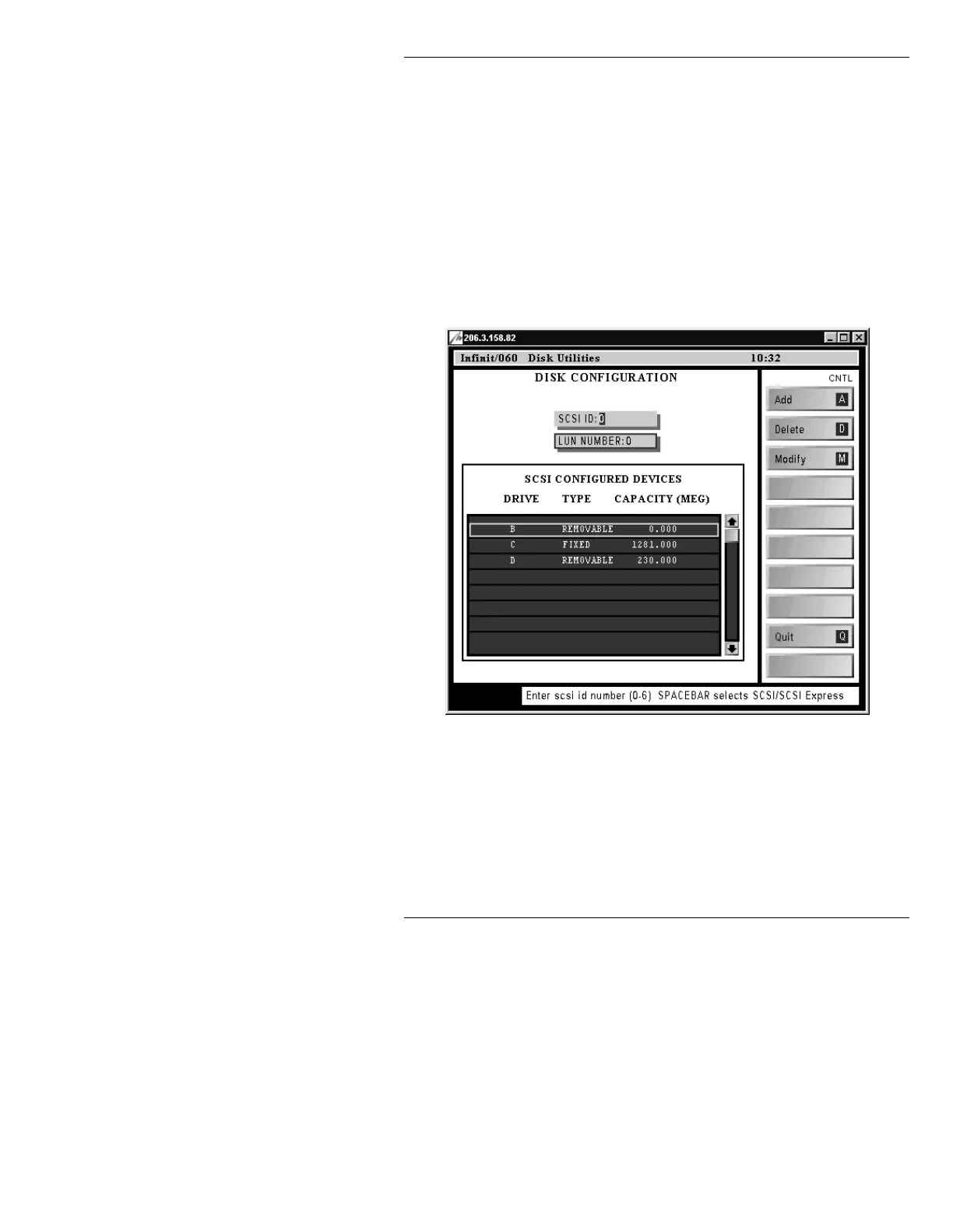
DISK CONFIGURATION menu (Figure 23-1)
is displayed.
Figure 23-1. Disk Utilities DISK CONFIGURATION Menu
[ ] 3. Perform steps 4 through 6 for each of the SCSI
Express drives that are installed in the system.
Up to four drives can be installed in total.
Drive letters are assigned in reverse order:
Z, Y,
X and W.



 To Next Page