iNFiNiT! Family Operation Manual
Revision D 10-9 Colors & Palettes
• Each Color Key also contains a 29 color Subpalette,
for a total of 31 colors stored in each Color Key.
The Color Palette on the Edit Monitor contains six sliders
for
Red, Green, Blue, Hue Saturation, and Intensity.
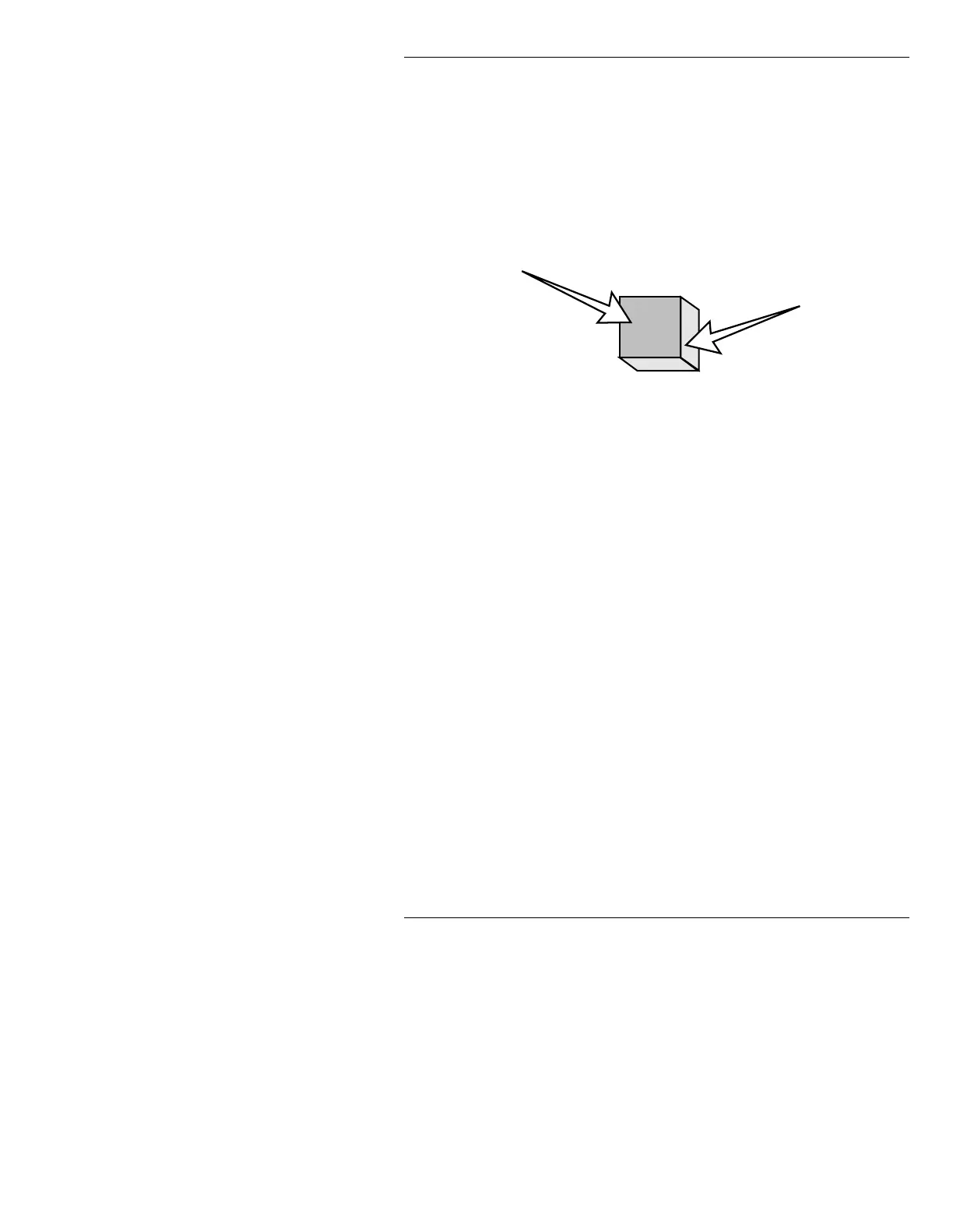
Also in the Color Palette is a Current Color box, and
eight Color Cubes (representing the eight Color Keys).
Each cube is a representation of a Color Key as shown
below:
Figure 10-6. Face and Edge Color
Character face color can be set before character edge
color, or vice versa. Face and edge colors can be set
using the methods described in §10.3.1 and §10.3.2
respectively; or by using the mouse to pick up a Color
Palette color as described in §10.3.3.
6HWWLQJ&KDUDFWHU)DFH&RORU
[ ] 1. On the Color Palette on the Edit Monitor, place
the cursor on any of the six sliders, then set a
value on the slider as described in §10.2.1.
Repeat for any sliders you want to set, until
you achieve the desired color in the Color Box.
If
COLOR SELECTED MAY BE ILLEGAL
FOR NTSC (PAL)
appears on the Prompt Line,
the composite signal exceeds 100 IRE. Reduce
one or more of the sliders until the warning
disappears. Typically, intensity is too “hot”.
[ ] 2. Press the Color Key in which the new color is
to be stored.
Face Color
Edge Color



 To Next Page