CHYRON Corporation
Start-Up 3-2 Revision D
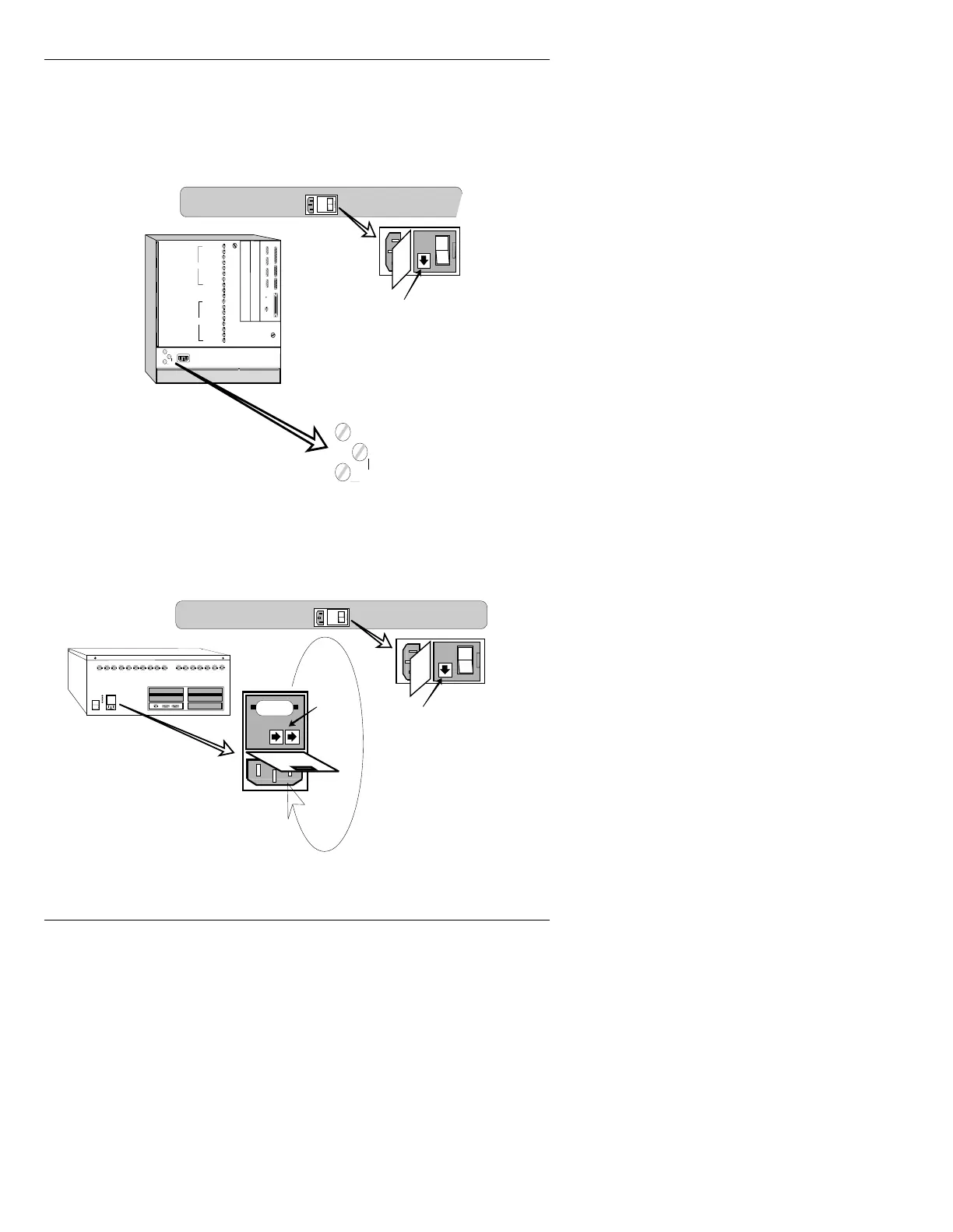
Confirm that the keyboard is getting power by pressing
the
CAPS LOCK key. If the keycap light illuminates, the
fuse is OK. If there seems to be a power problem, check
the keyboard fuse as shown below.
Figure 3-1. iNFiNiT! Fuse Locations
Figure 3-2. MAX!> Fuse Locations
CHYRON VIDEO
COLOR EDIT
SYNC
BLUE
GREEN
RED
KEY
PROMPT
GEN LOCK
SYNC OUT
PROMPT
KEY
RED
GREEN
BLUE
SYNC
COLOR EDIT
CHYRON VIDEO
SCSI PORT
PARALLEL PORT
SERIAL 1
SERIAL 2 SERIAL 3
SERIAL 4
ARCNET
CPU Transition Board
F2
F1
CHANNEL 1
CHANNEL 2
Air Filter
Air Filter
Door Latch
Door Latch
ETHERNET GPI IN
SCSI TERM
POWER
Pry receptacle door with screwdriver,
then rotate down as shown
1
0
1
0
Fuse
Keyboard Fuse Location
Use a flat-blade screwdriver
to open fuse holders F1 and F2
F2
F1
1
0
CHANNEL 1
CHANNEL 2
Pry receptacle door with screwdriver,
then rotate down as shown
115v
1
0
1
0
Fuse
Fuses
Keyboard Fuse Location
MAX!> Chassis Fuse Location



 To Next Page