iNFiNiT! Family Operation Manual
Revision D 3-11 Start-Up
menu. The Time: field is highlighted when the
menu opens.
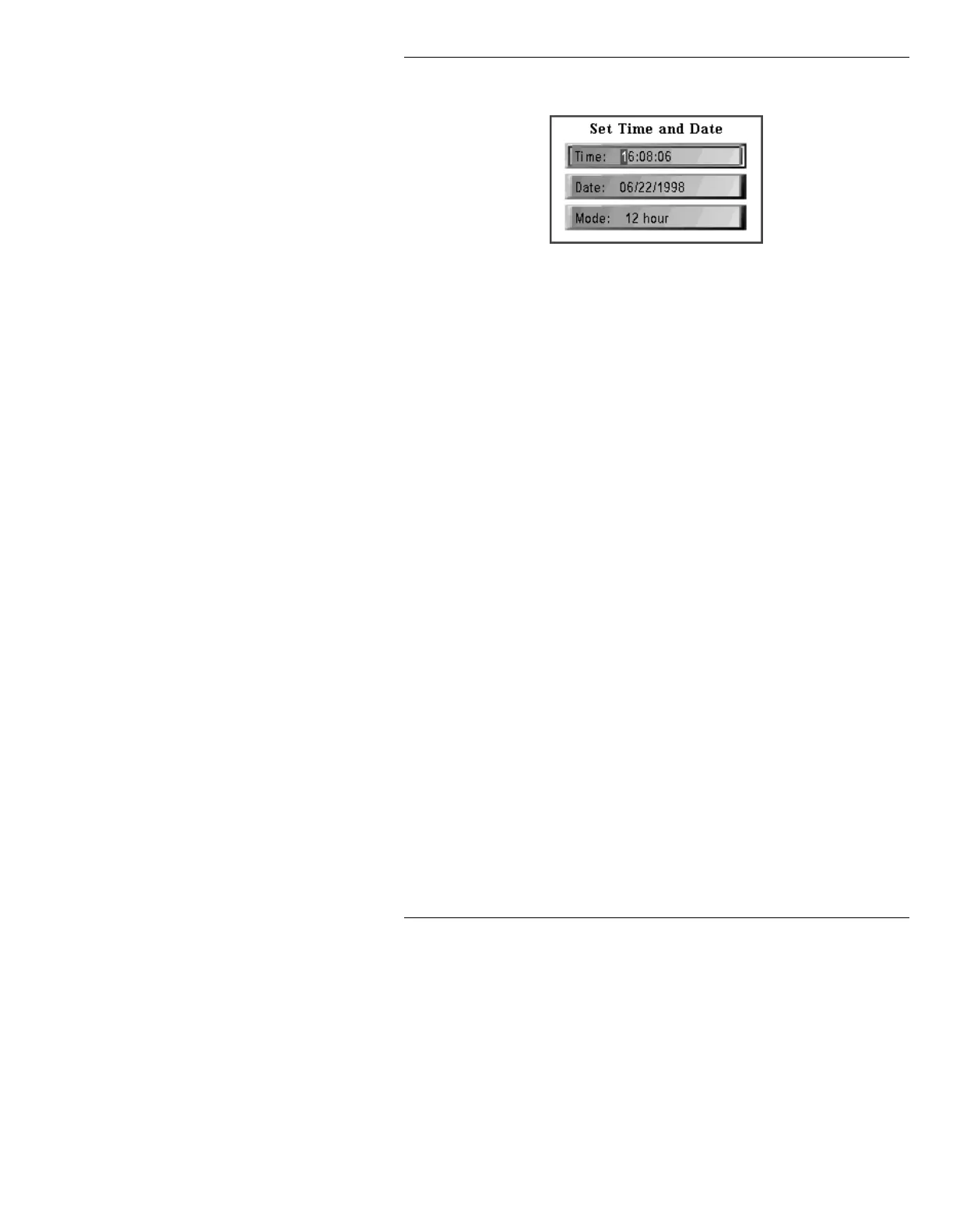
Figure 3-9. Set Time and Date Menu
[ ] 2. Set the following parameters. If you do not
want to set a particular parameter, press
CNTL
to exit from that field.
Mode: Press the SPACE BAR or click on the field to toggle
between Select either
12 Hour (AM/PM notation) and 24
Hour
(6:00 PM = 18:00). Press
to move to the Time:
field.
Time: Press CLR. Enter the time using the Address Keypad.
All six digits must be entered, including leading zeros.
Press
to move to the Date: field.
Date: Press CLR. Enter the date using the Address Keypad.
Please note that you must enter a four-digit year (i.e.
1997 vs. 97).
[ ] 3. Press
CNTL o click outside the menu to exit
from Set Time/Date and save changes.
NOTE
The Time/Date setting is retained by
the system when it is powered down.
Additionally, the Time setting is used
by the Clock Function in Message
Compose. Both the Clock and Timer
are run by the system’s internal clock.
See Section 11 for information on
Clocks and Timers.



 To Next Page