CHYRON Corporation
Directory Features 8-54 Revision D
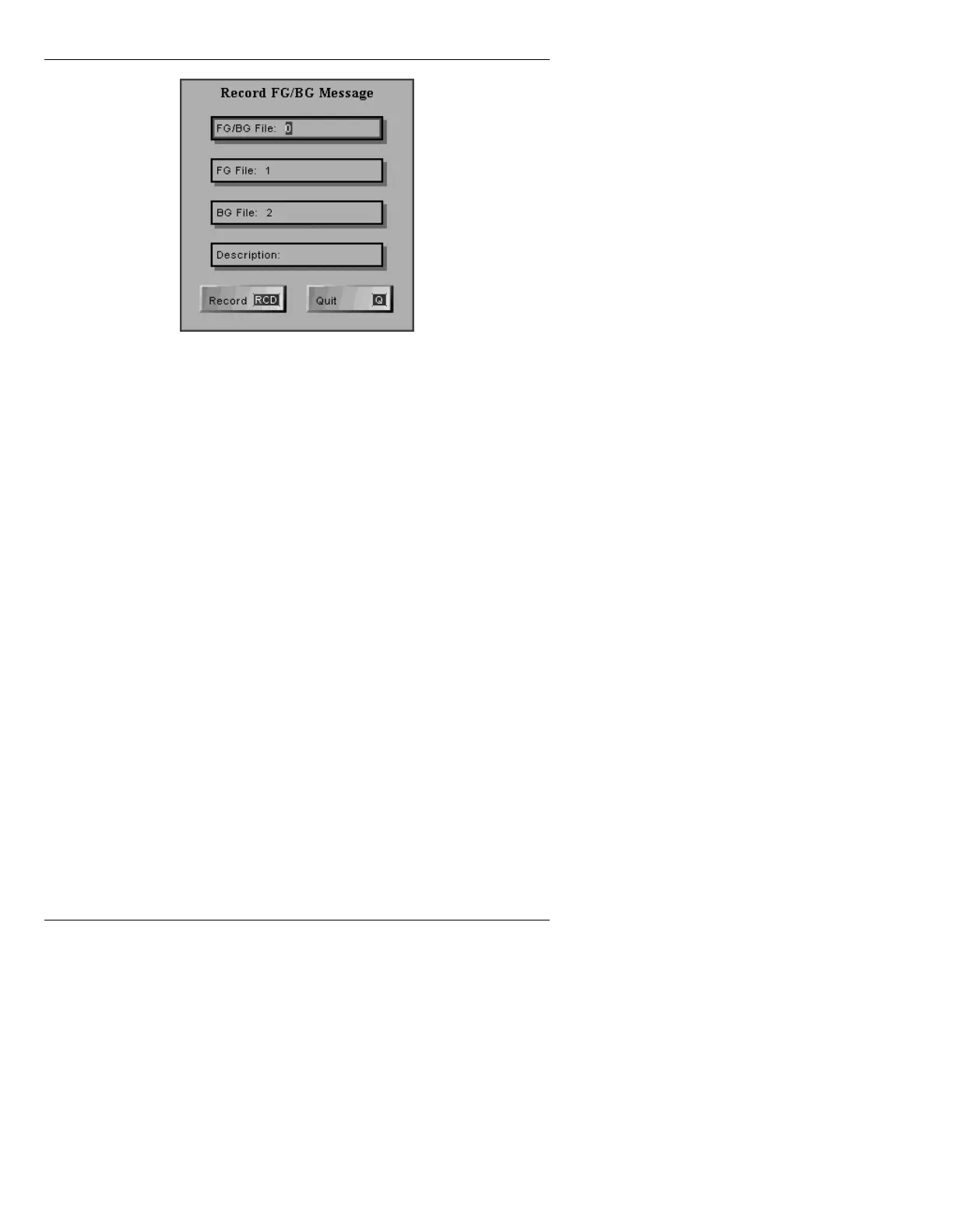
Figure 8-22. Record FG/BG Message Menu
[ ] 3. In the FG/BG File: field, press CLR, then enter
the ID number of the file that will be created.
Press
Ï.
[ ] 4. In the
FG File: field, press CLR, then enter the
ID number of the file will be recorded in the
Foreground buffer. Press
Ï.
[ ] 5. In the
BG File: field, press CLR, then enter the
ID number of the file will be recorded in the
Background buffer. Press
Ï.
[ ] 6. In the
Description: field, enter a description of
the file.
[ ] 7. Press
RCD; or press Ï then
. The new
message is recorded at the specified ID
number. In the Block List function (§8.3.2.2),
the new message appears as:
ID Number FG/BG (Foreground File ID,
Background File ID): Description
Many different message types can be recorded into either
the Foreground or Background buffer. Thus, either
buffer can accept a Function Key message, a Transform,
etc. When the FG/BG message is read, the Foreground



 To Next Page