iNFiNiT! Family Operation Manual
Revision D 9-19 Advanced Playback
To record the Roll Control Buffer List:
• Enter an empty address on the Address Keypad,
then press
CNTL RCD ROLL.
• Continue to §9.3.4 for instructions on how to
execute the Roll.
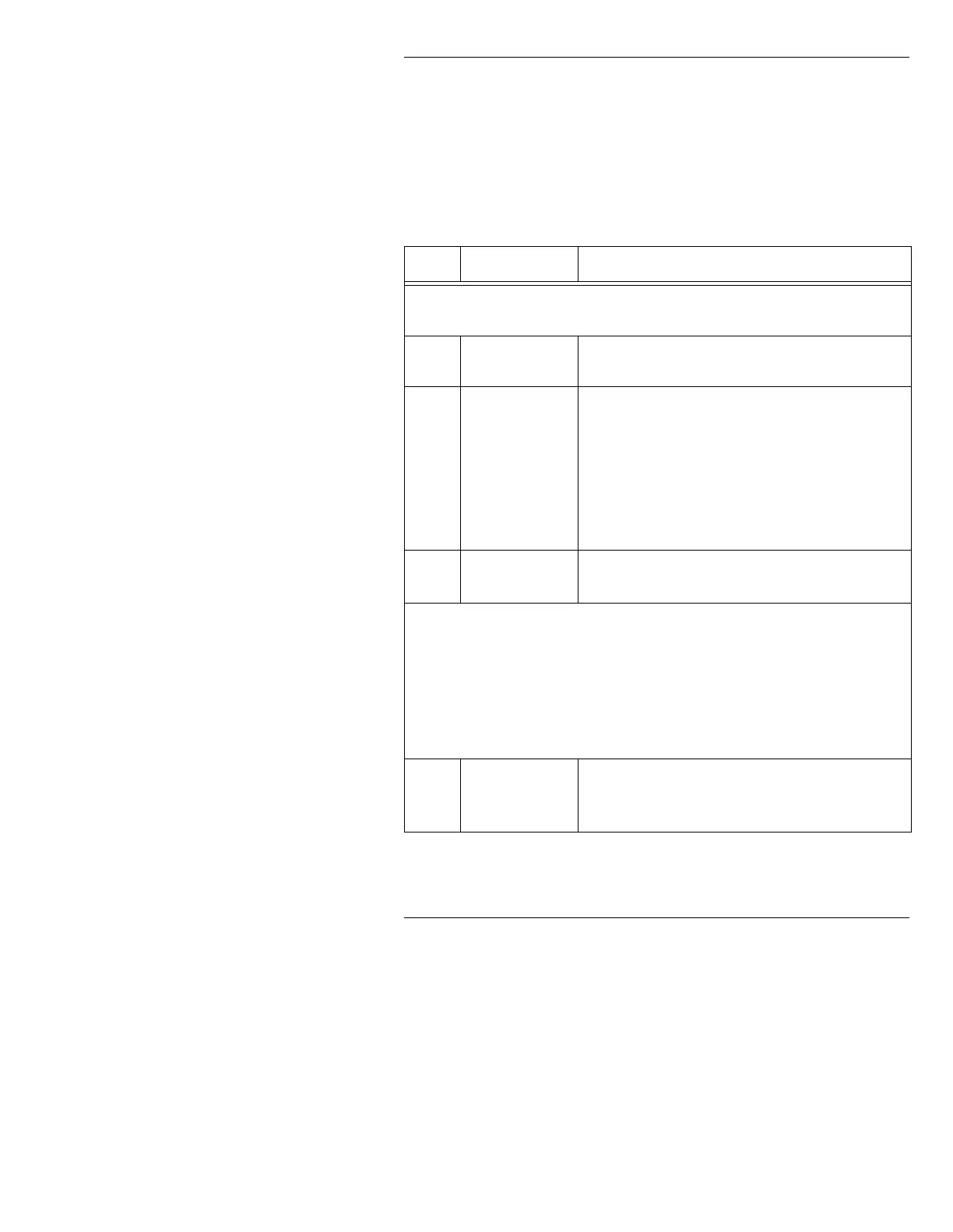
Tutorial 2: Creating a Timed Roll Control Buffer List
6WHS .H\VWURNHV &RPPHQWV
Execute the following step if the Roll Control Buffer is not displayed. Other-
wise, begin with Step 0.
CNTL or SETUP
ROLL
Displays Roll Control Buffer (Figure 9-1).
0
X
Activates Special Roll.
Special Roll requires either a minimum of two stan-
dard frame buffers or one EEFB. See §16.7 for
information on channel and buffer assignments if
you are using two or more frame buffers. Make
sure that Channels A and B each have buffers
assigned to them.
1
T 18
Sets duration in seconds of the Roll. For this
example, enter
18.
Note that you can ONLY specify a Timed Roll if you have ALSO
specified a Special Roll.
Remember that a Timed Roll does not execute Speed commands,
as it calculates its own speeds.
It is good practice to preview Rolls to see how they look when exe-
cuted.
2
ROLL
or R
100
Í 101
Specifies the first two messages to roll. For this
example, enter a range of message ID numbers
from
100 to 101.



 To Next Page