iNFiNiT! Family Operation Manual
Revision D 13-31 Flash Font
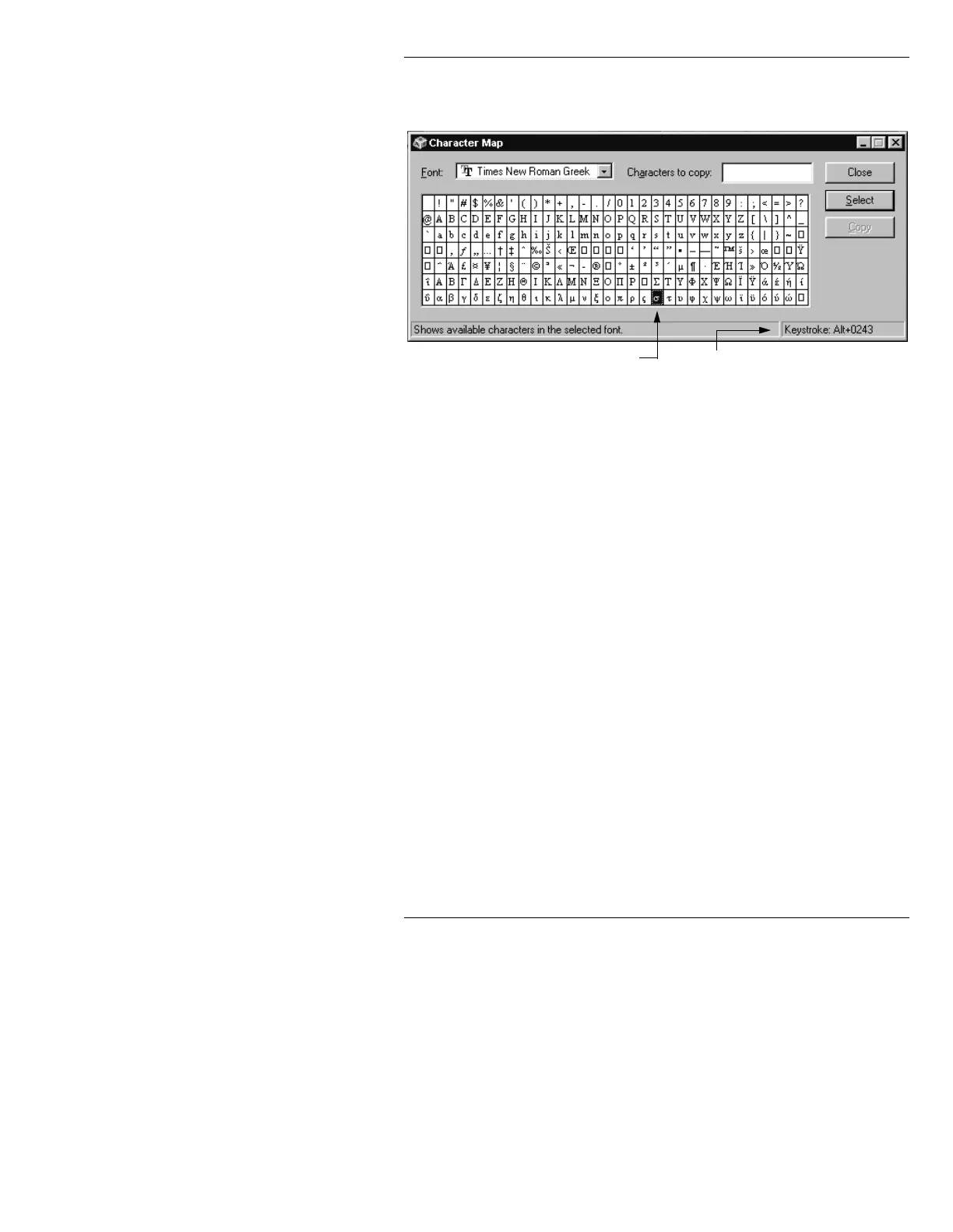
a font. TrueType™ Times New Roman
Greek
is used for this example.
Figure 13-20. Windows Character Map
[ ] 2. Highlight a character that you would like to
type.
In the lower right corner of the Character
Map is a
Keystroke: field which displays the
keystroke(s) which must be used in a PC
application to display the highlighted
character. In the example shown,
Alt + 0243
must be pressed to produce the highlighted
character.
If a PC is not available, check PC documentation for
codes; or experiment to see which codes produce which
characters. Available codes range from
Alt + 032, which
produces the space character, to
Alt + 0255, which pro-
duces the
ÿ character in most Western fonts.
Selected Character Keystrokes Needed to
Produce Character



 To Next Page