iNFiNiT! Family Operation Manual
Revision D 2-11 Installation
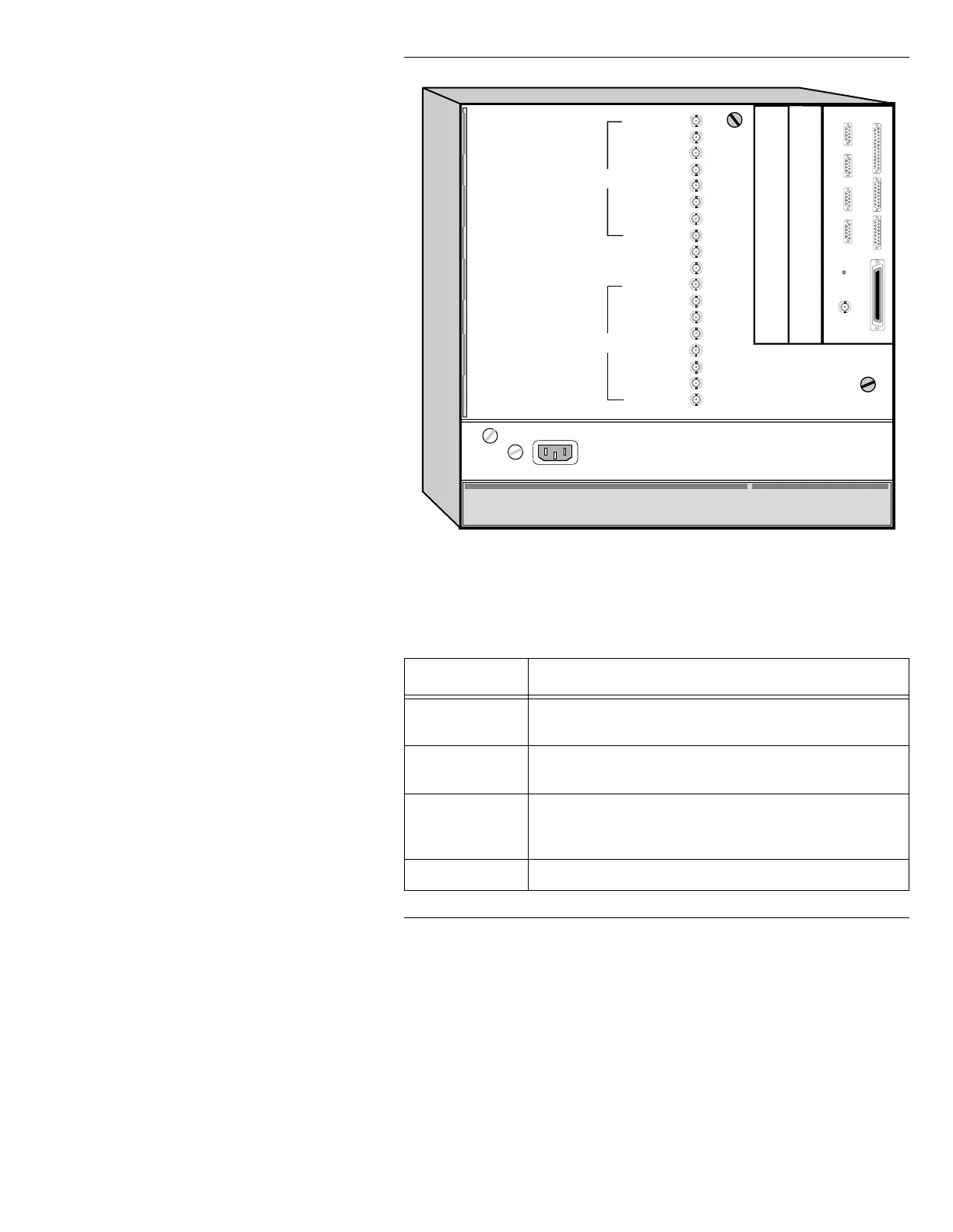
Figure 2-7. iNFiNiT! Chassis - Rear View
Table 2-1: iNFiNiT! Rear Panel Connections
&RQQHFWRU )XQFWLRQ
AC IN
Connect the supplied power cord to the rear panel recepta-
cle, and to a grounded outlet in your facility.
ArcNet
Run ArcNet coaxial cable from this connector to the J2
BNC on the iNFiNiT! keyboard.
Serial Ports
Four D9 serial ports on the CPU transition board; used for
options such as Logo Compose, Intelligent Interface,
IMAGESTOR Recall Keyboard, etc.
Parallel Port
Parallel printer port.
CHYRON VIDEO
COLOR EDIT
SYNC
BLUE
GREEN
RED
KEY
PROMPT
GEN LOCK
SYNC OUT
PROMPT
KEY
RED
GREEN
BLUE
SYNC
COLOR EDIT
CHYRON VIDEO
SCSI PORT
PARALLEL PORT
SERIAL 1
SERIAL 2
SERIAL 3
SERIAL 4
ARCNET
CPU Transition Board
F2
F1
CHANNEL 1
CHANNEL 2
Air Filter
Air Filter
Door Latch
Door Latch
ETHERNET GPI IN
SCSI TERM
POWER
Video Input Module (option)
CCIR 601 Digital Video (option)



 To Next Page