CHYRON Corporation
Installation 2-44 Revision D
The operator now has the ability to switch from Local to
Remote mode and vice versa by setting the Transcoder ArcNet
ID DIP switch. Setting this switch overrides the Program
loader Setup menu setting. This is most useful in cases where a
system is set to Local mode, but the ArcNet keyboard is either
not present or not functioning. The system can then be set back
to Remote mode without using the ArcNet keyboard or con-
necting a TTY configuration terminal.
The DIP switch can also be used to change a system from
Remote
to
Local
mode. This becomes necessary when the
remote PC becomes unavailable inoperative, or the connection
between the PC and the iNFiNiT! system fails. Please note that
Remote
control can be restored without resetting the DIP
switches. That procedure, considered easier, is described after
the DIP switch procedure.
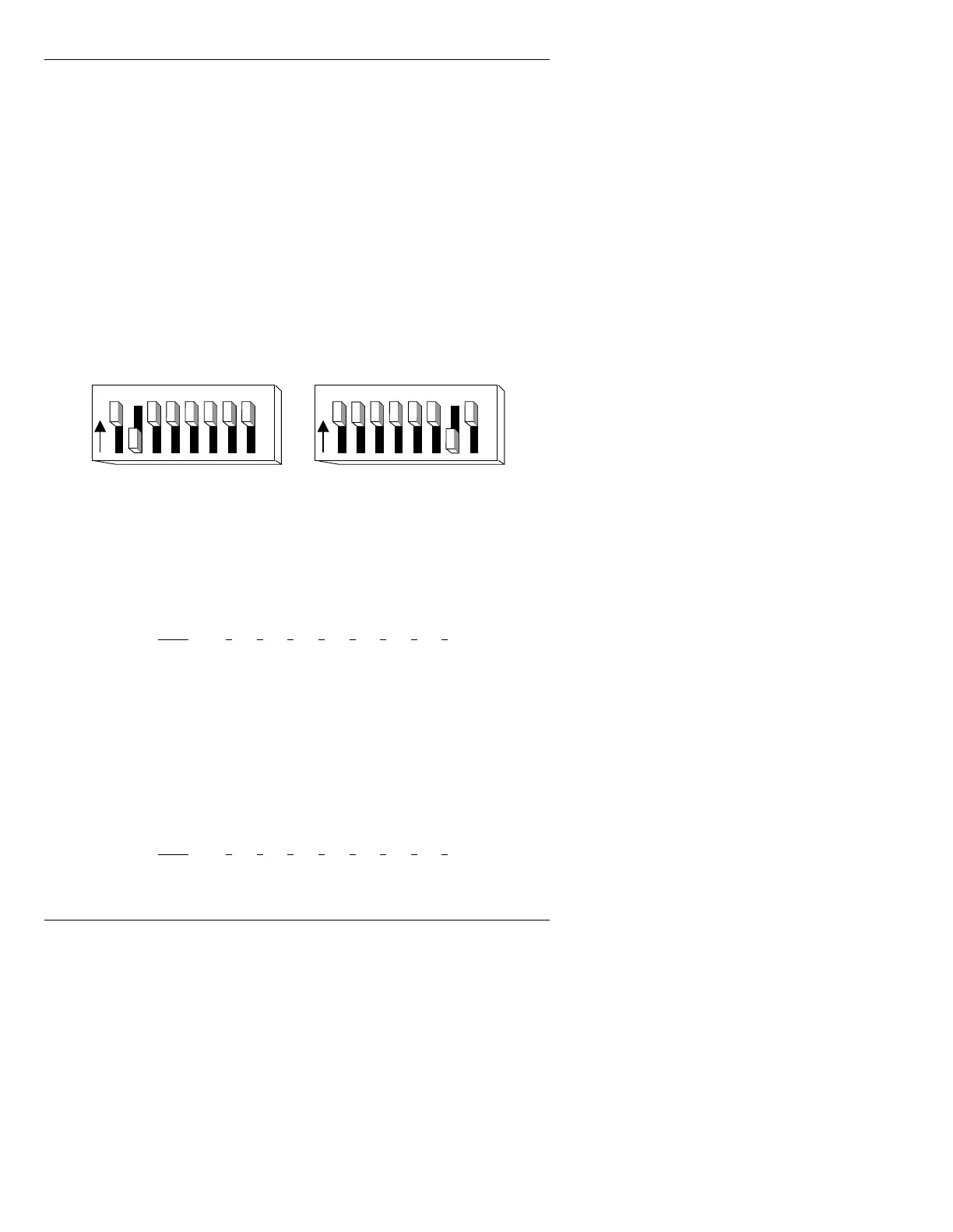
The default DIP Switch settings are as follows:
Figure 2-22. DIP Switch Settings - Default Mode
The settings for an iNFiNiT! /040 or /060 system are as fol-
lows:
On = Closed Off = Open
The proper settings for MAX!> and MAXINE! systems are as
follows:
On = Closed Off = Open
:
Mode 1 2 3 4 5 6 7 8
Default On Off On On On On On On
Local OnOffOnOnOnOnOffOn
Remote OnOffOnOnOnOnOffOff
Mode 1 2 3 4 5 6 7 8
Default OnOnOnOnOnOnOffOn
1 2 3 4 5 6 7 8
O
N
1 2 3 4 5 6 7 8
O
N
Default Settin
: iNFiNiT! /040, /060 Default Settin
: MAX!>, MAXINE!



 To Next Page