iNFiNiT! Family Operation Manual
Revision D 12-13 Function Keys
Note that if 0 is entered, the loop cycles
indefinitely in execution. To exit the loop at
any time during execution, press
ESC. This
exits not only from the loop, but from Function
Key execution.
[ ] 3. To encompass the steps which are to be looped,
use the
MOVE function (§12.3.1) to move END
LOOP AT 000
to the desired location.
You can also insert blank steps before the
END
LOOP AT 000
command by using the INS
ROW
(§12.3.1) editing command. As rows are
inserted,
END LOOP AT 000 moves down the
list to a new step position.
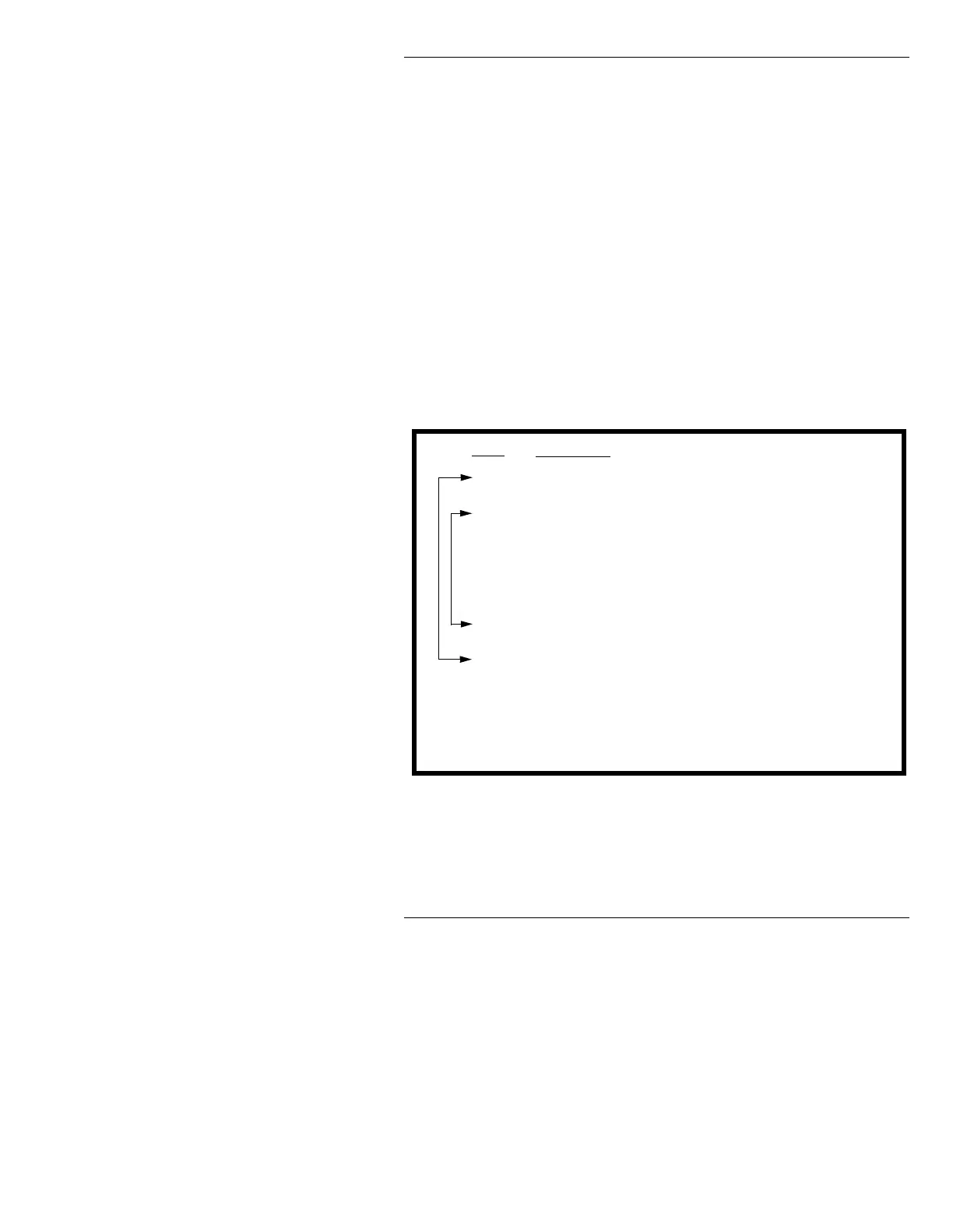
Loops can be built within loops. This is known as nest-
ing. The following illustrates how loops can be nested.
Figure 12-4. Nested Loops
A Function Key can contain 100 loops, and the loops can
be nested
100 deep.
0
1
2
3
4
5
6
7
8
9
10
LOOP
003 TIMES
LOOP
002 TIMES
S
A
L
E
END LOOP AT 002
!!!!!
END LOOP AT 000
Step
Keystroke
• Function Key execution
begins with the loop at
Step
0, then immediately
enters the loop that begins
at Step
2.
• The inner loop executes
twice, thus typing the word
SALE twice.
• On exiting the loop, it prints
!!!!!.
11
• Execution then returns to the top of the list, and repeats the above
sequence two more times.
• Execution continues to Step
11 and beyond.



 To Next Page