CHYRON Corporation
Flash Font 13-44 Revision D
Shade Highlight Shade: field and toggle through types. Choose
from
None, Contour, Glow, Bevel (1-9, A and B), Inner
Beve
l, Outer Bevel, Linear, Wave, Circular, Radial,
Diamond, Hyperbolic, Spiral or Star.
Angle Not to be confused with object rotation, the Angle: field
in the Modify Effect window rotates functional shades
(i.e.
Linear, Wave, Circular, Radial, Diamond, Hyper-
bolic
, Spiral and Star) in Fill or Edge.
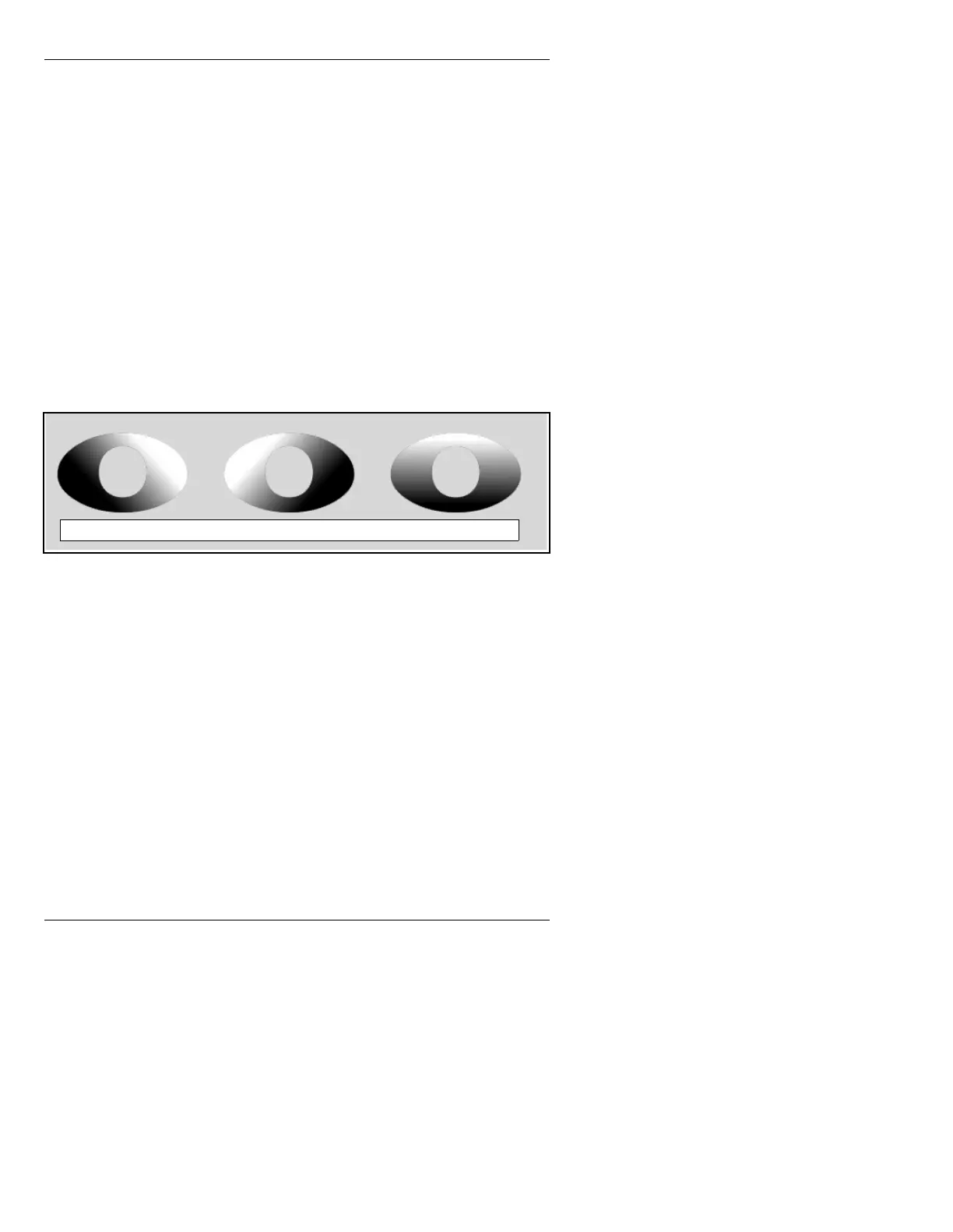
For example, the left most image in Figure 13-25 is
shown with
Linear shading and +45° rotation. Use the
mouse, or
SHIFT CHAR + Î or Ï to change angular val-
ues from
0 to 180, either clockwise (positive values) or
counterclockwise (negative values). The second image
in Figure 13-25 is shown with a -45° rotation, while the
third image has a no rotation applied to the shade.
Figure 13-25. Rotated Linear Shade Examples
Transparency Changes the relative Transparency of the body or the
edge of the object. Both edge and character default is
100%, in other words, opaque. Decreasing the percent-
age level of either character or edge increases the Trans-
parency, letting more of the background show through.
Drop Off The amount of Transparency as a function of the distance
from the opaque top or start of the texture (i.e., the Trans-
parency is ramped from start to end).
NOTE
Drop Off applies only to functional
textures (Linear, Wave, Circular,
Radial, Diamond, Hyperbolic, Spiral,
Star, etc.)
+45° Rotation -45° Rotation No Rotation



 To Next Page