iNFiNiT! Family Operation Manual
Revision D 15-5 Advanced Read FX
• Where applicable, you can select which image will
be displayed on top of the other during the transition
(
Hide and Revl).
The default setting is
Wipe.
To select an Effect Type:
• Place the cursor on the desired Effect Type, then
press the
or SPACE BAR; or click on the Effect
Type.
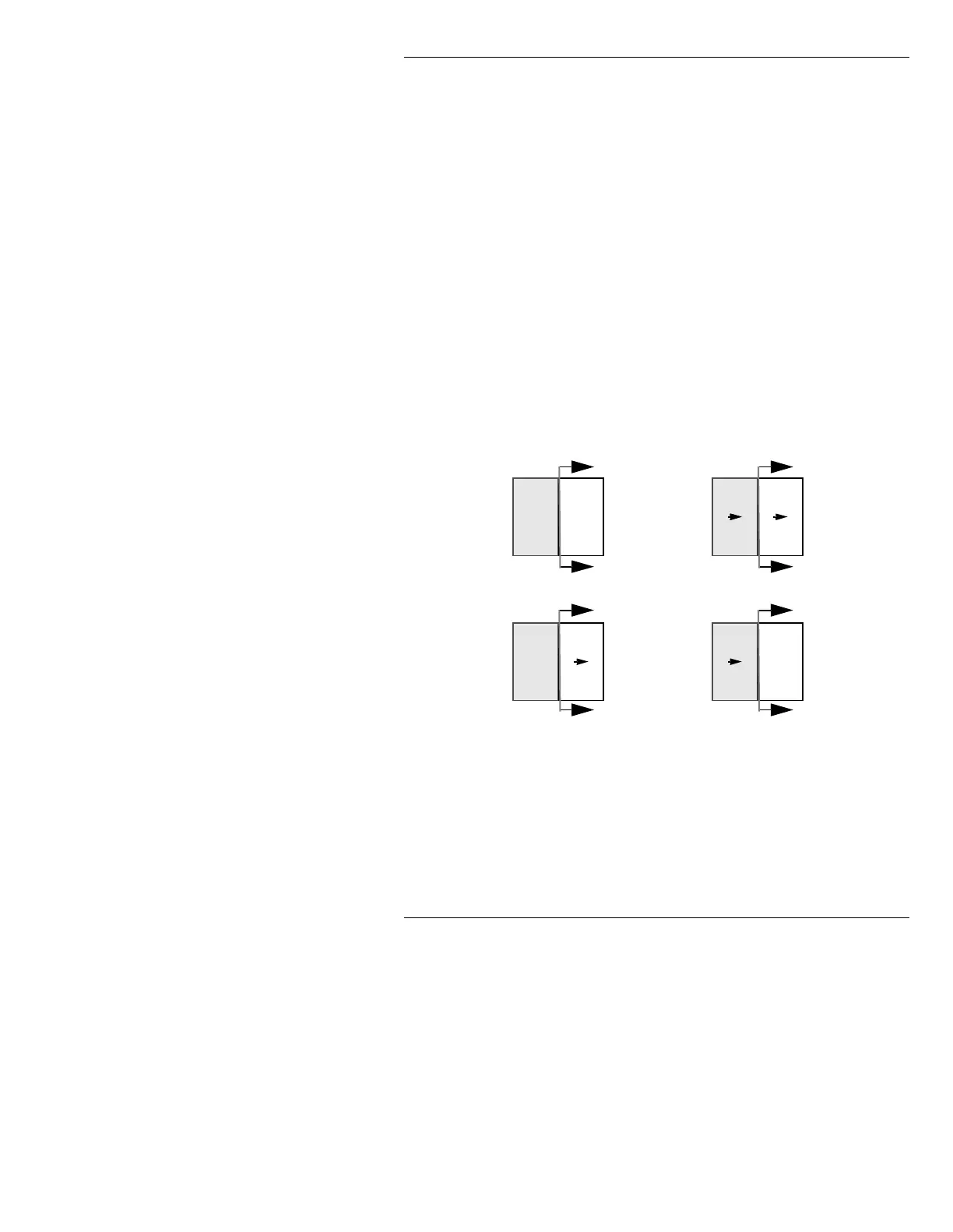
In Figure 15-2, the gray areas represent the new image
that is appearing on screen. The white areas represent the
old images. The arrows outside the screens show the
direction of image replacement. The arrows inside the
screens show which images actually move. The Effect
Types are shown using Transition Pattern
A.
Figure 15-2. Effect Types
Wipe As the Wipe executes, the new image overwrites the old
image. Neither image moves. All Transition Patterns
A -
J are available to Wipe.
Revl (Reveal) Hide
Wipe
Push



 To Next Page