iNFiNiT! Family Operation Manual
Revision D 16-11 Mix Effects
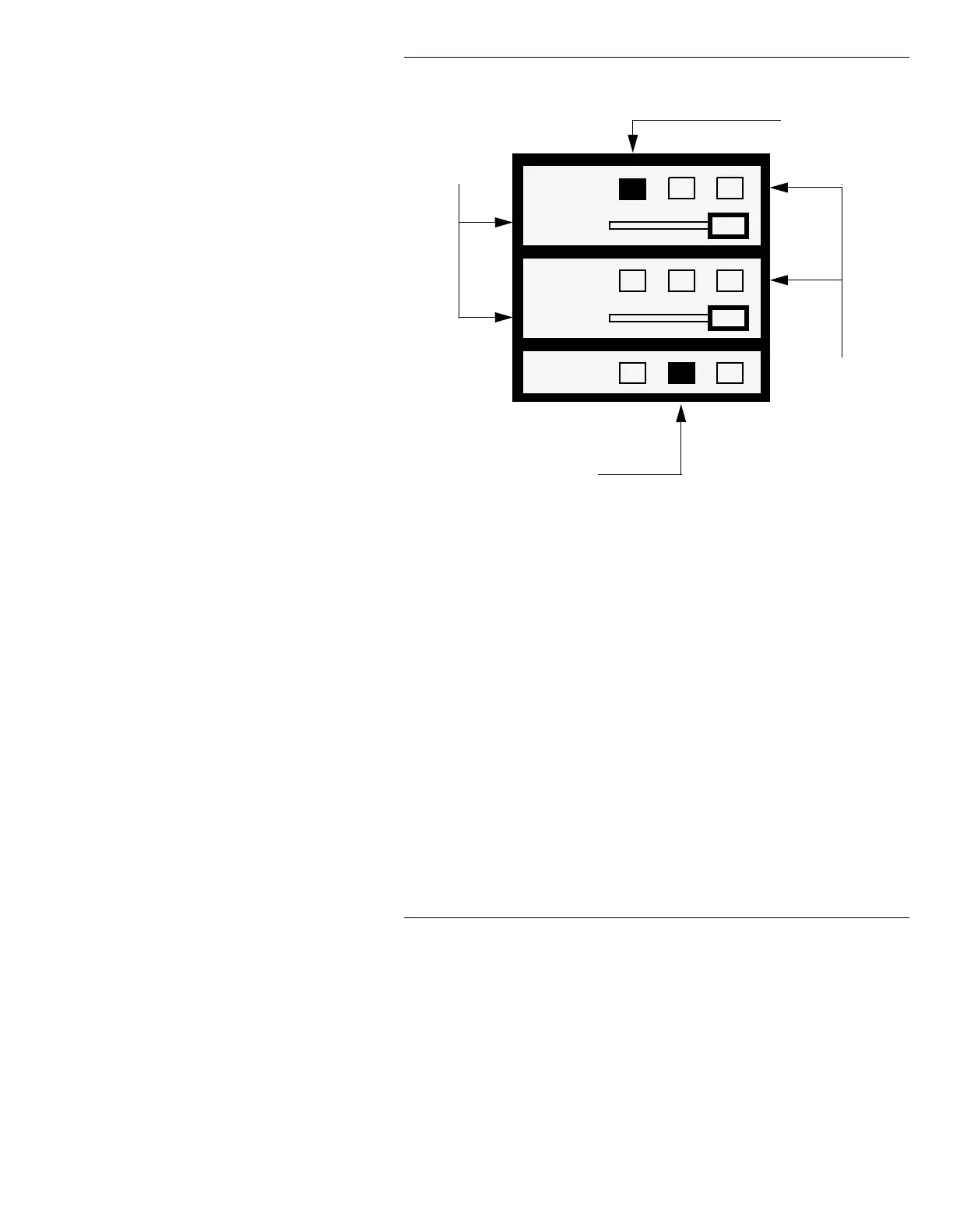
Figure 16-5. Mix Settings Window, Default Settings
This window is comprised of three areas: CHANNEL A/
AIR, CHANNEL B/AIR, and PREVIEW. While all
three areas can be assigned a buffer, only CHANNEL A/
AIR and CHANNEL B/AIR have adjustable Output Per-
centage levels. PREVIEW is fixed at 100% Output Per-
centage level (i.e. completely opaque). Buffer
assignments can be changed in this window, or in the
Message Compose main menu using the
CHNG, CNTL
CHNG
, XFER or CNTL XFER functions.
• Use the cursor keys or the mouse to highlight the
desired function.
Chan A
Percent
Chan B
Percent
Preview
Buffer 1 currently
assigned to
CHANNEL A/AIR
Buffer 2 currently assigned to
PREVIEW. PREVIEW outputs
to the PREVIEW CHANNEL,
which feeds to Channel 2.
PREVIEW Output Percentage
level is always fixed at 100%.
Mix of CHANNELS
A and B outputs to
the AIR CHANNEL,
which feeds to
Channel 1
Output
Percentage
Level Sliders
(%) for
Channels A & B
1
2
2
3
3
3
See Section 14 for more information on signal flow.
1
1
100
2
100



 To Next Page