iNFiNiT! Family Operation Manual
Revision D 2-57 Installation
verifying the integrity of the copies. When
VERIFY
is set to
Y
,
Copy
execution takes slightly
longer.
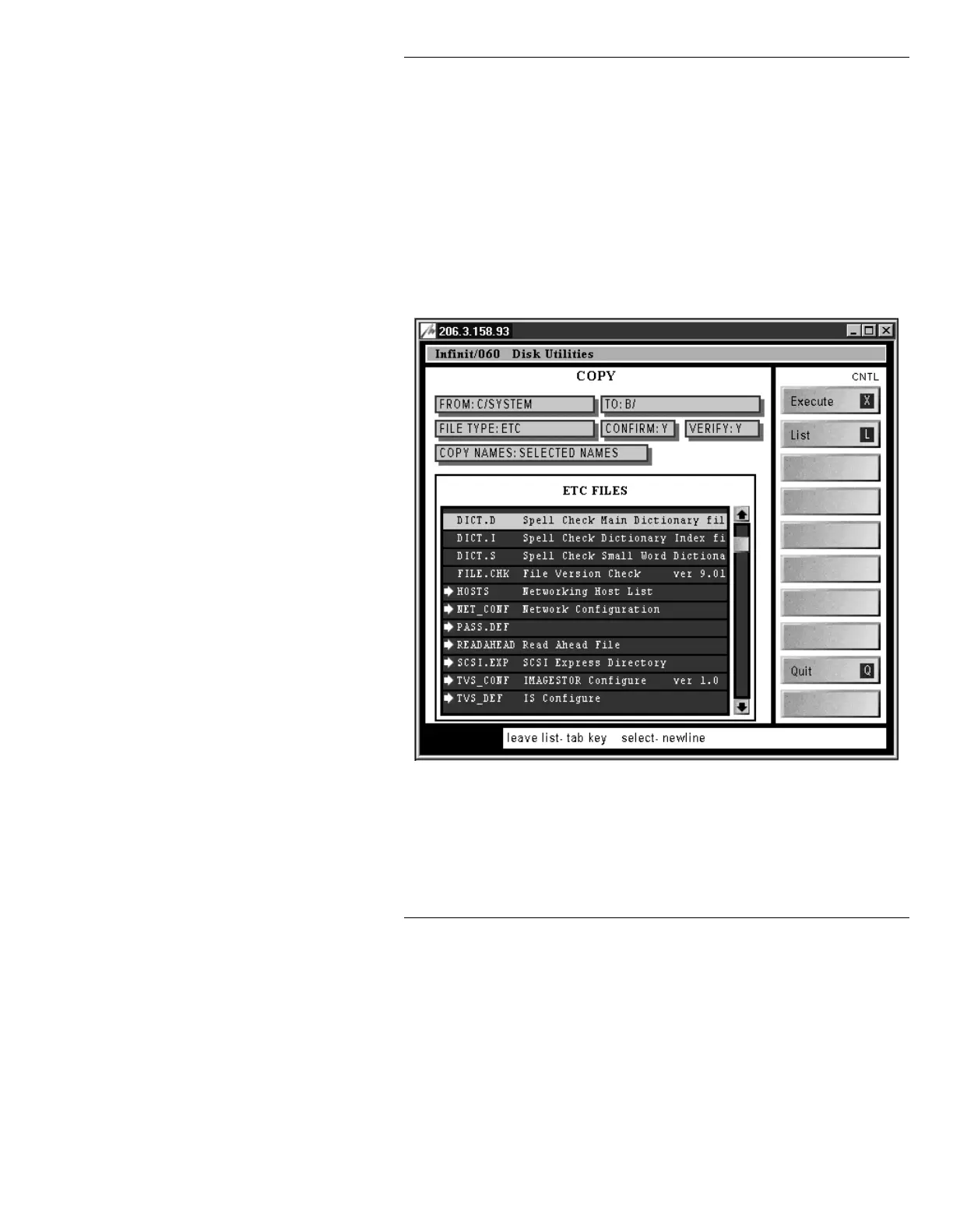
Figure 2-29 shows the filled in fields.
[ ] 4. Press
CNTL L
or select
List
to list the files in the
C/SYSTEM/ETC
directory.
[ ] 5. Place the cursor on a file that must be copied, then
press
; or click on the file name. An arrow
appears to the left of the file name and
SELECTED NAMES
appears in the
COPY
NAMES:
field (Figure 2-29). Repeat this step for
each of the files that are to be copied.
Figure 2-29. Disk Utilities Copy ETC FILES List
[ ] 6. Press
CNTL X
or select
Execute
. If a pop-up
window appears asking for overwrite permission,
press
Y
to overwrite the file, or any other key to stop
the overwrite.
Copy
execution will move to the next
file. See Figure 2-31 for an example. To completely
exit
Copy
execution, press
ESC
.



 To Next Page