CHYRON Corporation
Advanced Playback 9-46 Revision D
Familiarize yourself with the following keystrokes that
you need to edit the list. Remember that numerical data
is entered using the Address Keypad.
There are two tutorials below. Tutorial 3 demonstrates
how to build a Crawl Control Buffer List that uses
Speed
commands. Tutorial 4 demonstrates how to build a
Timed Crawl Control Buffer List.
Enter the keystrokes listed in each row of the following
table. The column
Step lists the step numbers as they
appear on the Roll Control Buffer List that you create.
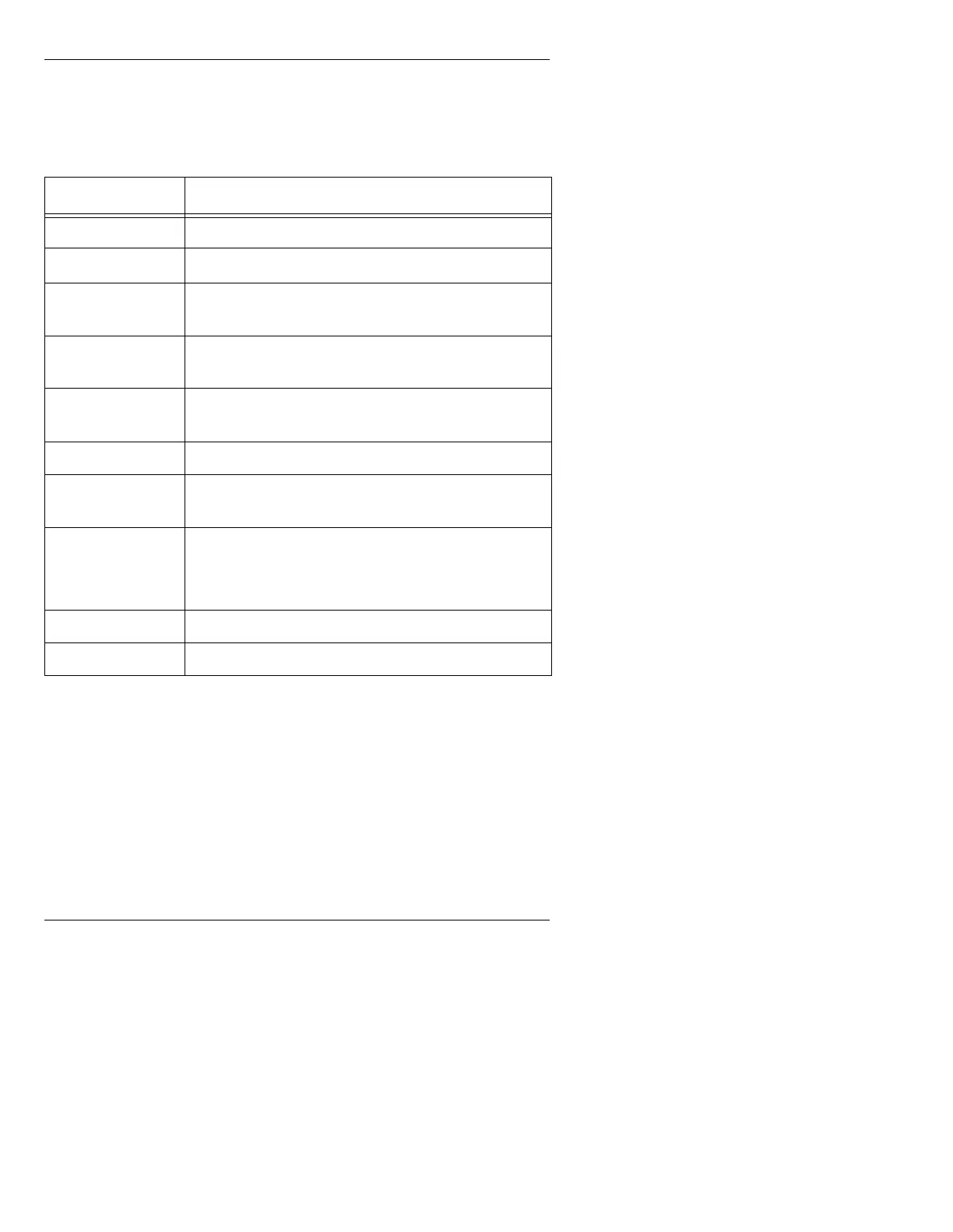
Table 9-5: Edit Functions
Keystroke(s)
Function
ÎÏ Scrolls through the list
ÌÍ
Moves across row
Backspace (Ì)
Key
Erases number entered in Range field.
SHIFT PAGE +
ÎÏ
Scrolls through the list page by page
Press after entering data at each step. Advances cursor
to the next step.
DEL ROW Removes step - pulls up following rows to fill the gap
INS ROW Inserts one blank step - following steps move down the
list to make room
ERASE If cursor is positioned anywhere but the top step, erases
step, but does not delete it
If cursor is positioned on the top line, erases entire list
HOME Returns cursor to Step 0 from any point in the list
HOME ERASE
Erases entire list



 To Next Page