iNFiNiT! Family Operation Manual
Revision D 2-3 Installation
• Place the keyboard on a level surface, and allow access for
the ArcNet and AC power cables.
• Remove the shipping card (if any) from the keyboard
floppy disk drive.
• Place the power switch in the OFF position, then connect
the AC power cord to the keyboard. Plug the AC power
cord into an grounded power outlet.
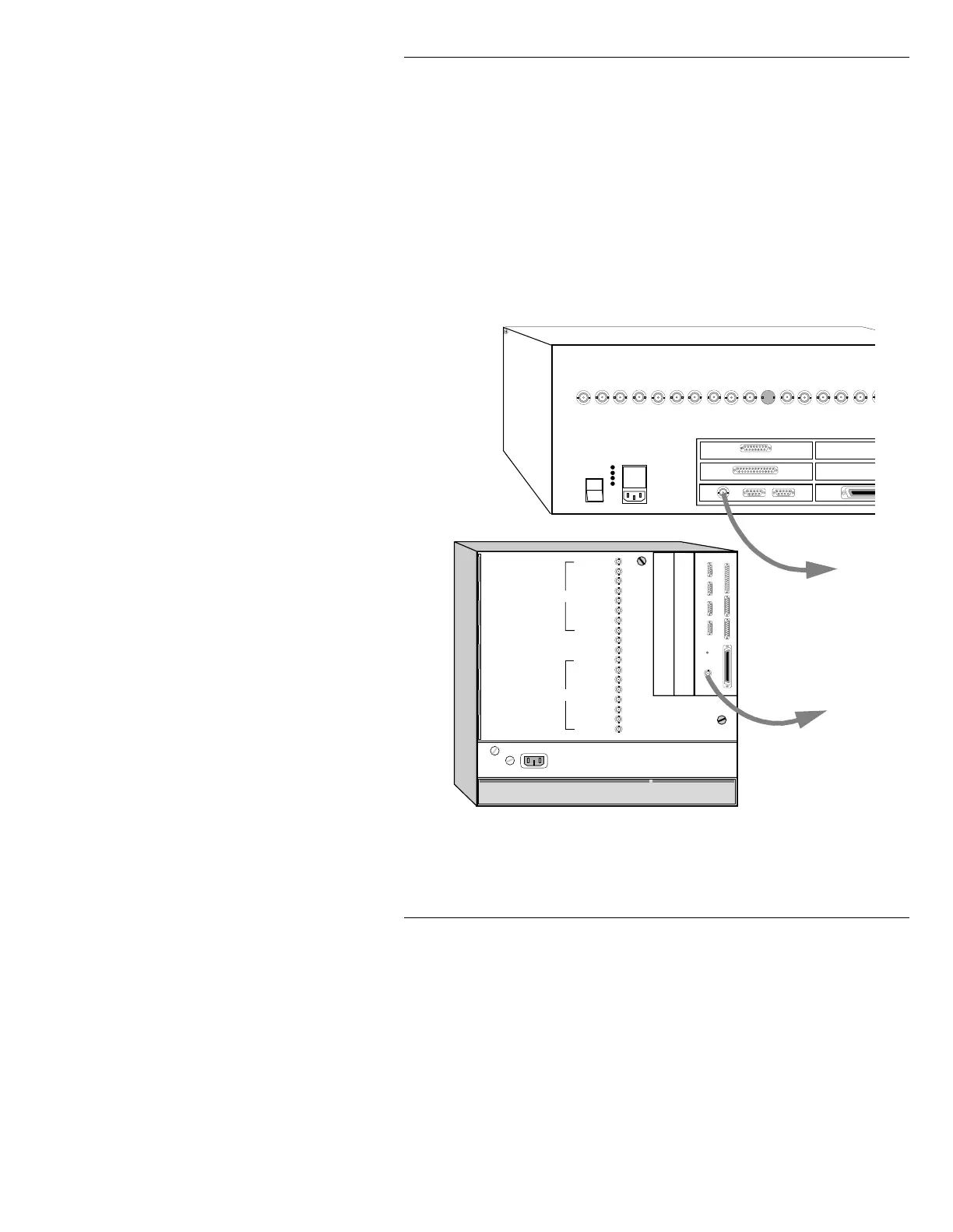
• Connect one end of the supplied keyboard coax cable to
the
ArcNet IN
connector on the iNFiNiT! or MAX!> rear
panel, as shown in Figure 2-1.
•
MAKE SURE KEYBOARD POWER IS OFF,
then
connect the Mouse (option) to J1.
Figure 2-1. iNFiNiT!/MAX!> Keyboard Hookup
CHYRON VIDEO
COLOR EDIT
SYNC
BLUE
GREEN
RED
KEY
PROMPT
GEN LOCK
SYNC OUT
PROMPT
KEY
RED
GREEN
BLUE
SYNC
COLOR EDIT
CHYRON VIDEO
SCSI PORT
PARALLEL PORT
SERIAL 1
SERIAL 2 SERIAL 3
SERIAL 4
ARCNET
CPU Transition Board
F2
F1
CHANNEL 1
CHANNEL 2
Air Filter
Air Filter
Door Latch
Door Latch
ETHERNET GPI IN
SCSI TERM
POWER
Video Input Module (option)
CCIR 601 Digital Video (option)
1
0
CHANNEL 1
CHANNEL 2
Keyboard/Serial Ports Interface Panel
CHYRON VIDEO
COLOR EDIT
SYNC
BLUE
GREEN
RED
KEY
PROMPT
GENLOCK
SYNC OUT
PROMPT
KEY
RED
GREEN
BLUE
SYNC
ETHERNET
GPI
SCSI
(Opti
(Option)
(Opti
$UF1HW
WR.H\ERDUG
$UF1HW
WR.H\ERDUG
0$;!&KDVVLV



 To Next Page