iNFiNiT! Family Operation Manual
Revision D 15-11 Advanced Read FX
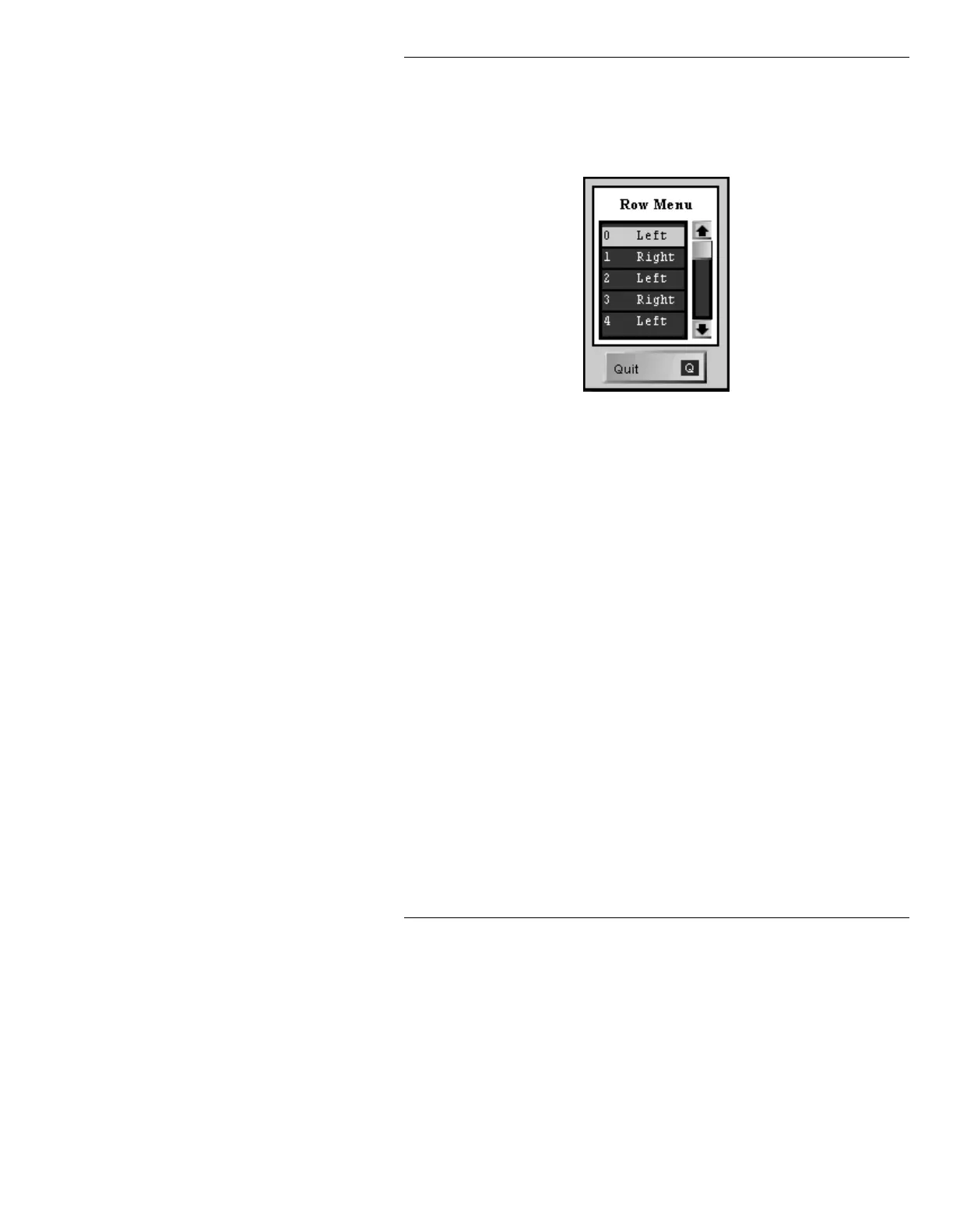
The menu that is displayed shows rows 0 - 4. Cursor
down to access the additional rows. Font size affects the
number of rows that can be deceased in the Row Menu.
Larger fonts allow fewer rows. The default settings are
shown in Figure 15-6.
Figure 15-6. Row Menu
To adjust the row settings:
[ ] 1. Place the cursor on a row that you want to
change, then use one of the following methods
to choose row direction:
• Press the
SPACE BAR to toggle through
the following selections:
Left, Right,
Down, Up, and Fixed. Stop on your selec-
tion.
• Press the key corresponding to the first let-
ter of the direction, i.e.
L - Left, R - Right,
D - Down, U - Up, and F - Fixed.
• Click the mouse on the row to toggle
through the choices.
Repeat Steps 1 and • to change any additional
rows. (Blank rows are counted as rows in the
Row Menu!)
[ ] 2. Press
CNTL, Q, or select Quit to exit the Row
Menu and save settings.



 To Next Page