iNFiNiT! Family Operation Manual
Revision D 2-41 Installation
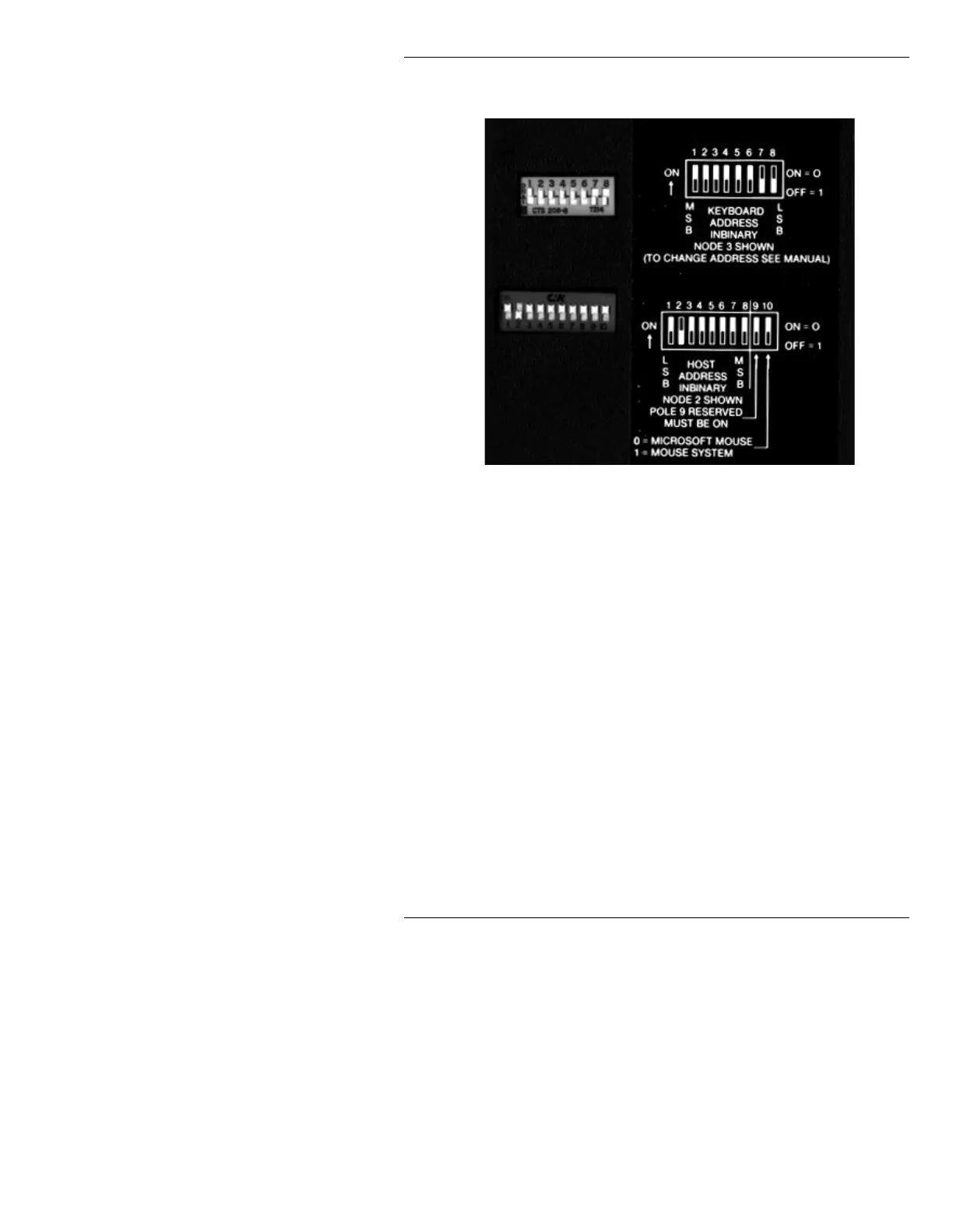
The DIP switches are accessible from the bottom of the key-
board (Figure 2-19).
Figure 2-19. Switch Settings:
iNFiNiT!, MAX!> Keyboards
In the Dual-User option (iNFiNiT! option only), the keyboard
with ID #3 defaults to
PRIMARY
. The second keyboard (with
ID #4) defaults to
SECONDARY
. These priorities may be
changed in the Program Loader Setup Menu (see §3.6).
When keyboards are shipped, each keyboard is set as #3. In
multiple keyboard systems, this number must be changed on
one of the keyboards, because
NO TWO KEYBOARDS CAN
SHARE THE SAME ADDRESS!
NOTE
Keyboard ID’s #0 and #1 are reserved by
the system and cannot be used!
The following must be observed when setting the DIP switches
on iNFiNiT! and MAX!> keyboards:
• Figure 2-19 shows the setting for the first keyboard in the
network, ID #3. Each keyboard connected to the system
must have a unique ID. Figure 2-19 shows sample switch
settings in a multi-keyboard facility.



 To Next Page