Chapter 4: C4 CMTS General Installation Requirements
STANDARD Revision 1.0 C4® CMTS Release 8.3 User Guide
© 2016 ARRIS Enterprises LLC. All Rights Reserved. 109
3. Install proper PIC or filler panel in the corresponding rear slot of the chassis. (The RCM does not have a PIC; use a filler
panel instead.)
Note: If you meet strong resistance when attempting to seat the module, PIC or filler panel, remove it from the chassis and
try reinserting it. Be sure that you have aligned the top and bottom edges in the correct matching tracks.
Installation Diagram
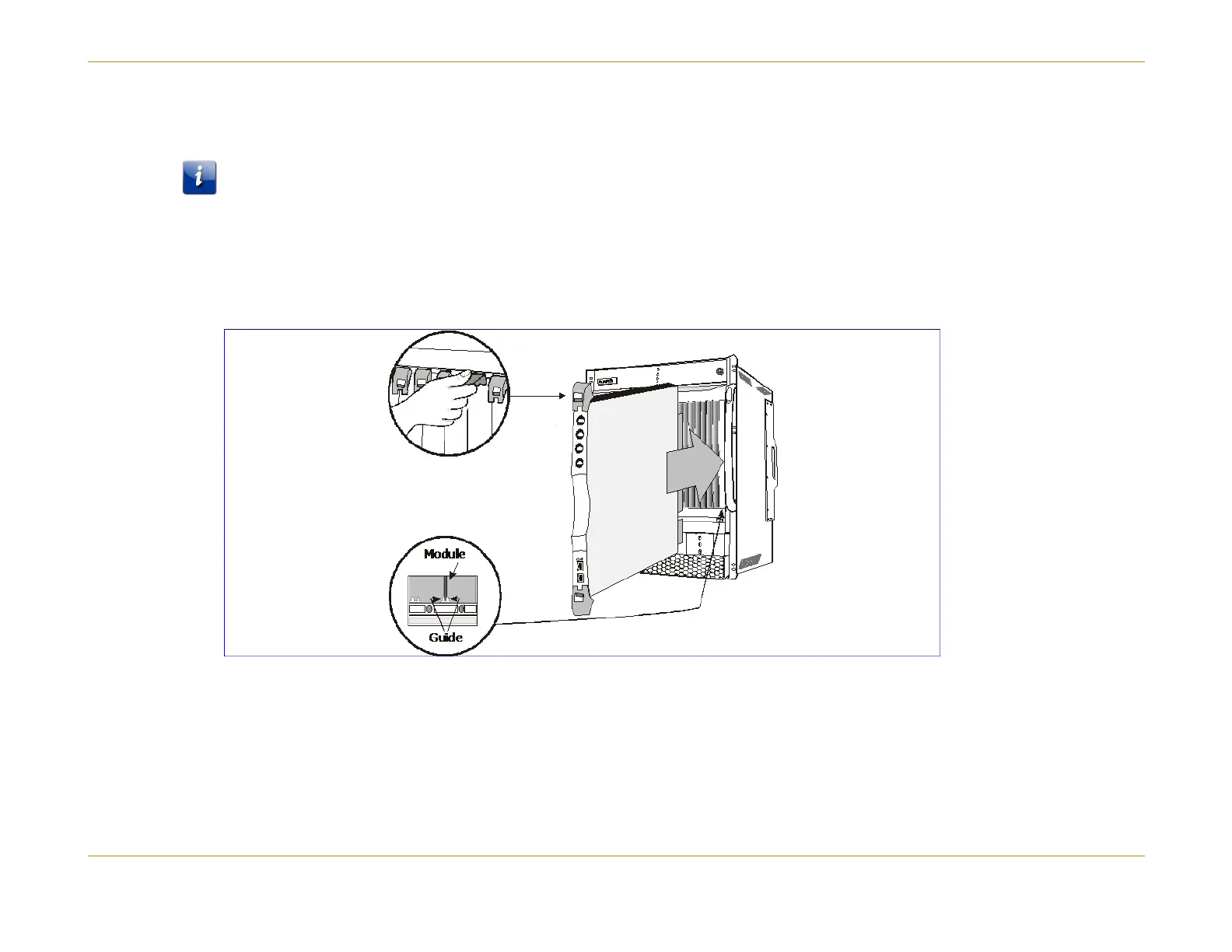
Although the figure below shows the SCM, the ejector levers are the same for all modules and PICs.
Figure 10: Installing the System Control Module



 To Next Page