Chapter 4: C4 CMTS General Installation Requirements
STANDARD Revision 1.0 C4® CMTS Release 8.3 User Guide
© 2016 ARRIS Enterprises LLC. All Rights Reserved. 111
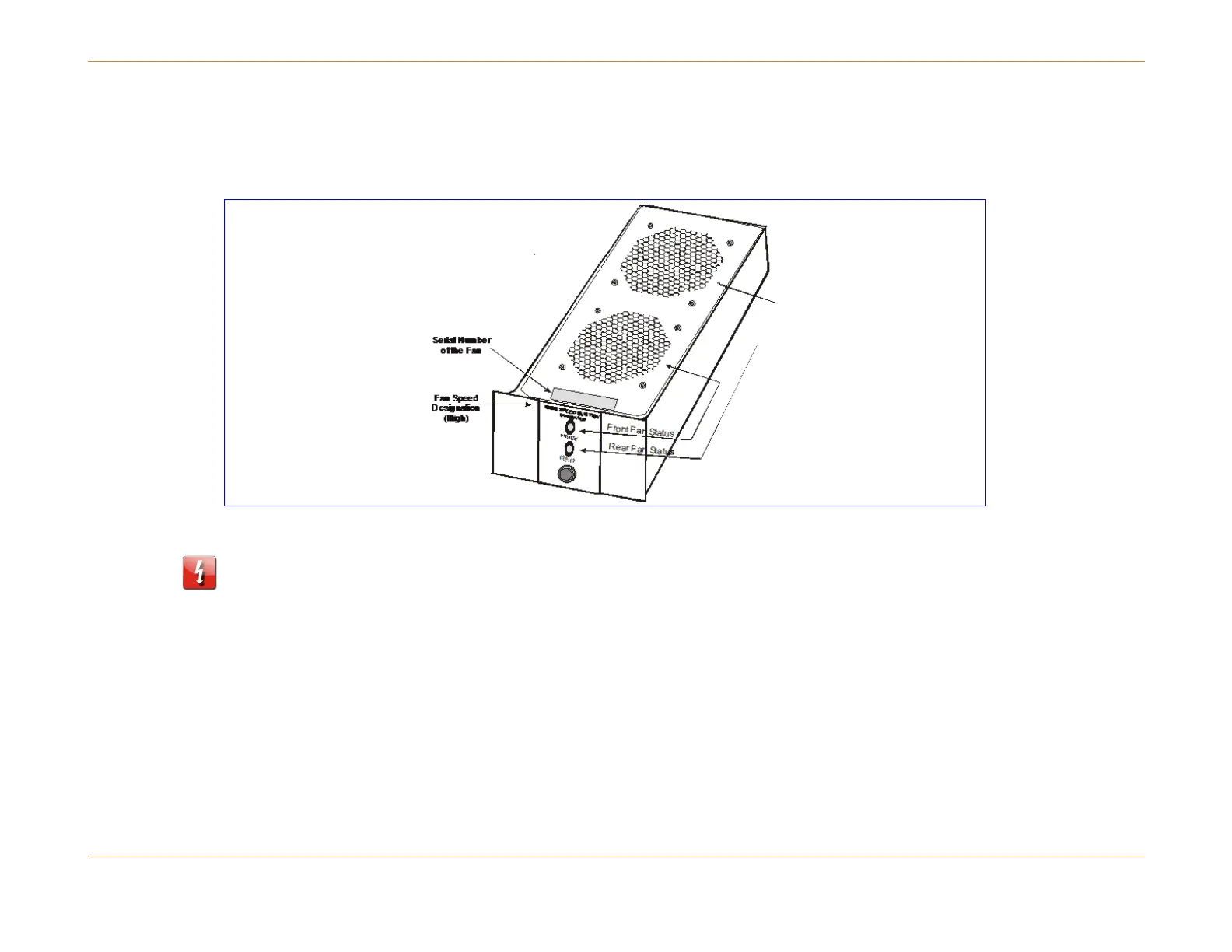
High Speed Fan Trays
All Release 8.x chassis require high-speed Fan Trays. These trays are labeled "High Speed" on their front plates.
Figure 12: Example of High Speed Fan Tray
WARNING: To prevent unnecessary equipment damage, the Fan Tray should be installed only in a chassis that is securely
mounted in a frame or rack. You should rack-mount the chassis first and then install the Fan Trays.
How to Install the Fan Trays
1. Perform the following steps to install Fan Trays. Refer to the figure below to identify the location of the Fan Trays.
2. Align the Fan Tray on the rails and slide firmly into chassis.
3. Hand tighten the captive fastener at the bottom of the tray. If using a tool, care should be exercised not to over-
tighten. The recommended torque for this fastener is 5.0 ±0.5 inch-pounds.
4. Repeat steps 1 and 2 for the remaining Fan Trays.
5. Once the fans reach operational speed verify that the Fan Status LEDs are green.



 To Next Page