Chapter 7: Router Control Module (RCM)
STANDARD Revision 1.0 C4® CMTS Release 8.3 User Guide
© 2016 ARRIS Enterprises LLC. All Rights Reserved. 213
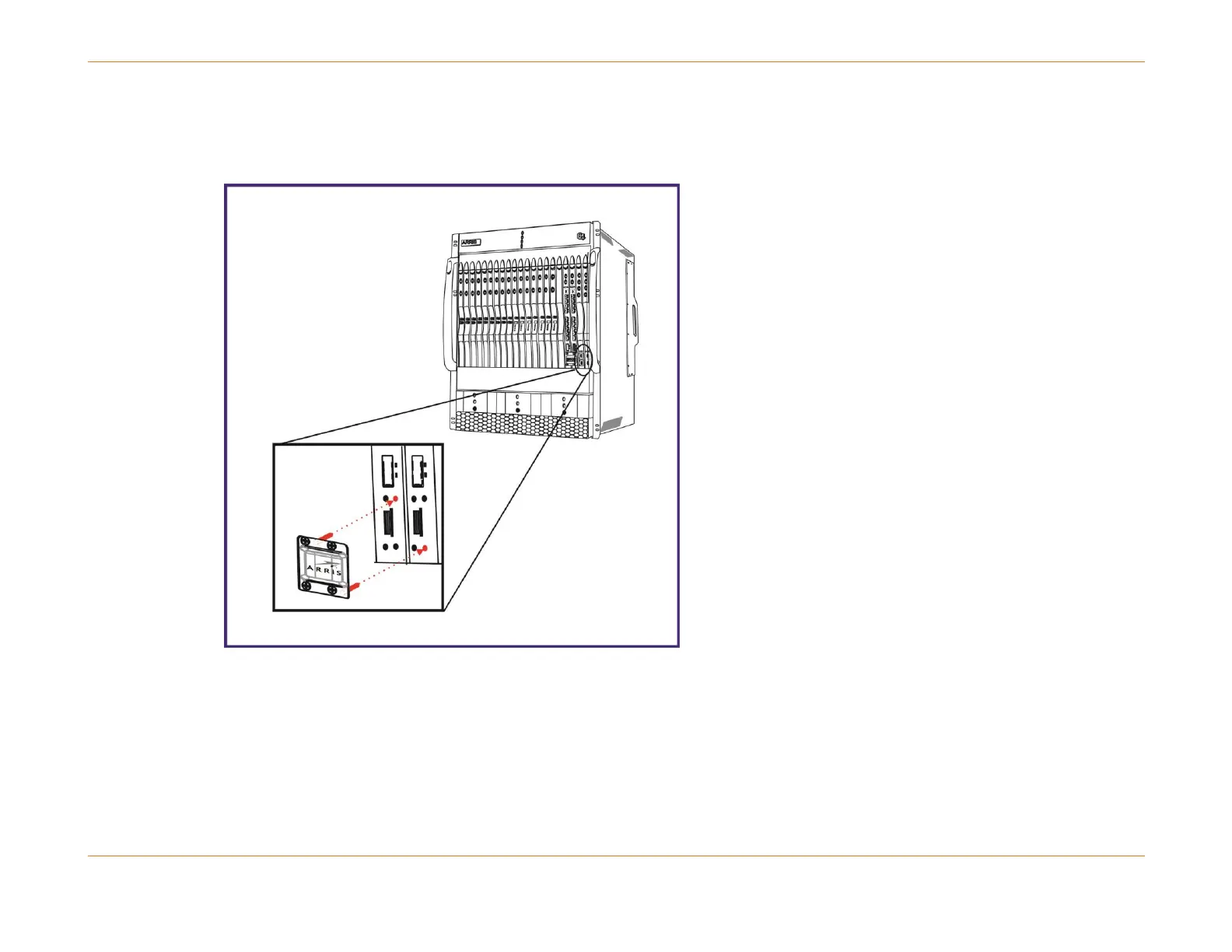
To Install the RCM Crossover Connector
1. First ground yourself properly with an electrostatic discharge (ESD) strap, then install the second RCM.
Figure 54: Installing the RCM Crossover Connector
2. Align the pins on the RCM crossover connector as shown in the figure above.
3. Push in and hand tighten the four supplied captive fasteners. Do not over-tighten. The recommended torque for these
is 5.0 ±0.5 inch-pounds.



 To Next Page