Chapter 5: C4c CMTS Installation Requirements
STANDARD Revision 1.0 C4® CMTS Release 8.3 User Guide
© 2016 ARRIS Enterprises LLC. All Rights Reserved. 155
AC Power at 115 Volts AC
Input voltage: 100 to 240 Volts AC
Power consumption: 1000 W nominal and 1350 W maximum
DC Power at -48 Volts DC
Input voltage: -44 to -72 Volts DC
Power consumption: 900 W nominal and 1200 W maximum
Note: The C4c CMTS can be configured with either one or two Power Modules; therefore, the number of cables shipped
with your system depends on the configuration.
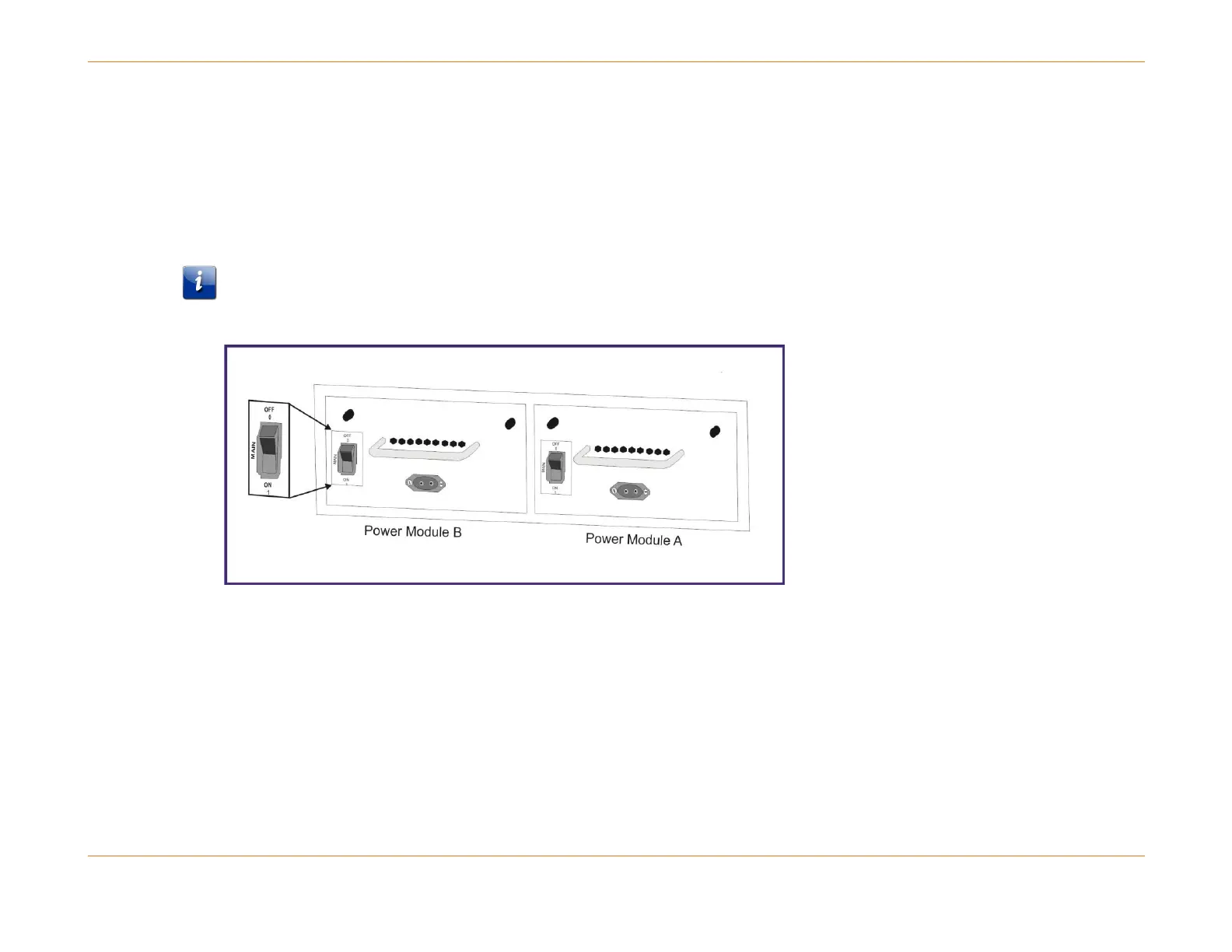
Figure 35: Applying Power to the DC PM
How to Cable the DC Power Module
Refer to the figure above and follow the steps below to cable the PM.
1. One or two cables (one red and/or one blue) are included with the C4c CMTS. One end of each cable is connectorized
and keyed for the power connector on the rear of the DC Power Module.
a. Make sure the breaker is in the OFF position before plugging in the power feed cables.
b. Use the connectorized end of the red cable and plug it directly into the PM Power Feed A. If only one PM is
configured, a red or blue cable will be included.
c. If there are two PMs, use the connectorized end of the blue cable and plug it directly into the PM Power Feed B.



 To Next Page